
Click the image above image to watch the full video for an in-depth overview of the fraud detection pipeline and its components. This video covers the entire pipeline from data ingestion to fraud detection analysis.
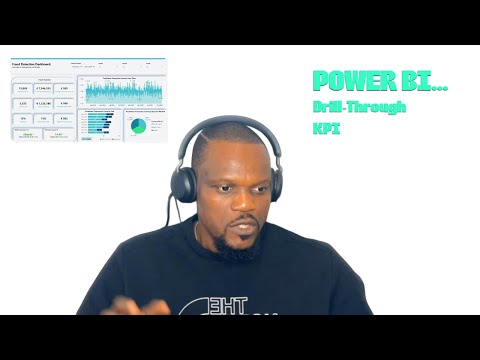
Click the image above to watch the full video walkthrough of the Power BI Fraud Detection Dashboards.
- Project Overview
- Tools and Technologies Used
- Step-by-Step Process
- Final Output in Snowflake
- Power BI Dashboard Overview
- Conclusion
The Fraud Detection Data Pipeline Project is an end-to-end pipeline that processes raw transaction data to enable real-time fraud detection and risk assessment. The project ingests raw data into AWS S3, stages it in Snowflake, transforms it using dbt, and automates deployment through GitHub Actions, ensuring a scalable, reliable, and tested production system for fraud analysis.
- AWS S3: Cloud storage for raw transaction data, enabling scalable and durable storage.
- Snowflake: A data warehouse to stage and store processed data, optimized for real-time data analysis.
- dbt (Data Build Tool): A transformation tool used to clean and model data, following best practices with version control and reproducibility.
- SQL and Python: Used within dbt models to handle transformations, testing, and data quality validation.
- GitHub Actions: CI/CD tool for automating testing and deployment, ensuring that all data transformations meet quality standards before being promoted to production.
The raw transaction data simulates typical attributes required for fraud detection, including details on transactions, users, devices, and anomalies. The data is uploaded to AWS S3 to provide a scalable source for both development and production environments.
- TransactionID: Unique identifier for each transaction.
- UserID: Identifier for the user making the transaction.
- TransactionAmount: The monetary value of each transaction.
- TransactionDate: The timestamp of the transaction.
- IsFraud: Flag indicating whether a transaction is fraudulent.
- AnomalyScore: Score representing the likelihood of fraudulent behavior.
- DeviceType, LocationCoordinates, IP_Address, etc.
Data is organized in folders by year (e.g., year=2022, year=2023, year=2024) in S3 to facilitate partitioning during ingestion.
Once the data is uploaded to S3, Snowflake is used to stage the data. A staging table, transactions_staging, is created in Snowflake to temporarily hold this raw data.
-
Create Databases: Separate databases are created for development and production.
- Development Database:
DEV_EMEKA_FRAUD_DETECTION - Production Database:
PROD_EMEKA_FRAUD_DETECTION2
- Development Database:
-
Load Data from S3: Use the COPY INTO command to load data from S3 into the
transactions_stagingtable in Snowflake.
Code Location: Refer to the staging_scripts.sql file in the snowflake folder for the full SQL code to create the databases and staging tables and to load data from S3.
Data transformation is handled with dbt to ensure data integrity, improve performance, and prepare the data for analysis. The transformation process includes defining and creating models (tables) that represent both dimensions and facts in the fraud detection pipeline.
-
Create Virtual Environment: To isolate the environment and manage dependencies.
Commands:
python -m venv dbt-envsource dbt-env/Scripts/activatepip install dbt-snowflakedbt --version
-
Initialize dbt Project: Initializes a new dbt project directory and configuration.
- Command:
dbt init my_fraud_detection_project
- Command:
Once dbt is set up, use the following commands to manage and run dbt models:
-
Verify dbt Connection: Tests the connection to the data warehouse.
- Command:
dbt debug
- Command:
-
Run dbt Models: Executes all transformations in the dbt project.
- Command:
dbt run
- Command:
-
Run dbt Tests: Executes tests defined in the project to verify data quality.
- Command:
dbt test
- Command:
-
Generate Documentation: Creates documentation files for the dbt project.
- Command:
dbt docs generate
- Command:
-
Serve Documentation: Starts a local server to view dbt documentation.
- Command:
dbt docs serve
- Command:
- Code Location: dbt models are located in the
modelsfolder within themy_fraud_detection_projectdirectory. The structure includes:- Bronze Models (
models/bronze): Raw historical data processing. - Silver Models (
models/silver): Dimension and fact tables for users, devices, and transactions. - Gold Models (
models/gold): Aggregated metrics for dashboards and fraud detection.
- Bronze Models (
The pipeline follows a star schema design, creating efficient connections between fact and dimension tables for faster queries in analytical processing.
The lineage graph visually shows data flow from raw ingestion to final transformation outputs. It includes paths for each model, with upstream sources feeding into downstream tables. You can add a screenshot of the lineage graph here for better understanding.
Lineage Graph: 
- Source Table:
fraud_detection.transactions_staging- Bronze Model:
br_fraud_detection_raw_data_historicalcleans the raw data and serves as a base for silver models. - Silver Models:
si_users_dimensionandsi_devices_dimensionstore descriptive information about users and devices.si_transactions_factstores the core transaction data used in downstream models.
- Gold Models:
go_real_time_fraud_detectionprovides real-time anomaly scores for fraud detection.go_fraud_detection_dashboard_metricsaggregates fraud metrics for dashboard reporting.go_merchant_risk_assessmentandgo_user_behavior_metricsprovide insights into merchant risks and user behaviors.go_predictive_model_featuresprepares features for fraud prediction models. Code Location: All model definitions can be found in The dbt models directory of themy_fraud_detection_project.
- Bronze Model:
This CI/CD workflow is designed to automate testing and deployment for a dbt project. It performs tests on the dev branch and deploys the tested code to production when pushing to the master branch.
Trigger Conditions
- Pull Request to master: When a pull request targets the master branch, the workflow runs the test job to ensure code integrity.
- Push to dev Branch: When code is pushed to the dev branch, the workflow also runs the test job to validate code changes.
- Push to master Branch: When code is pushed directly to master (e.g., after merging a PR), the deploy job runs automatically, promoting the code to production by executing
dbt run --target prod.


Jobs
-
Test Job
- Objective: Run tests on the dev environment to validate that new code does not introduce errors.
- Runs-on: ubuntu-latest
- Steps:
- Checkout code: Fetches the code from the GitHub repository.
- Set up Python: Configures a Python environment with version 3.8.
- Install dependencies: Installs dbt-core and dbt-snowflake in a virtual environment to manage Snowflake database connections and dbt commands.
- Set up Snowflake credentials: Exports Snowflake credentials from GitHub secrets into environment variables.
- Set up dbt profiles: Creates a profiles.yml file to configure connections to the dev and prod Snowflake databases. The target is set to dev.
- Run dbt deps: Downloads any external dbt packages specified in the project.
- Run dbt test: Runs all defined dbt tests on the dev environment.
-
Deploy Job
- Objective: Deploys the code to production if all tests pass on master.
- Conditional Execution: Runs only when a direct push to the master branch occurs (if: github.ref == 'refs/heads/master').
- Runs-on: ubuntu-latest
- Steps:
- Checkout code: Fetches the code from the repository.
- Set up Python: Configures Python with version 3.8.
- Install dependencies: Installs dbt-core and dbt-snowflake in a virtual environment.
- Set up Snowflake credentials: Loads credentials from GitHub secrets.
- Set up dbt profiles: Recreates profiles.yml with connections to both dev and prod databases, setting the target to prod.
- Run dbt models for production: Executes
dbt run --target prod, promoting all validated models to production in thePROD_EMEKA_FRAUD_DETECTION2database. The workflow setup can be viewed in The github action path
The testing logic for each layer can be viewed in the following files:
- Bronze Layer: Bronze Test file
- Silver Layer: Silver Test file
- Gold Layer: Gold Test file
In the development database, only data from the year 2024 is accessible. This is a subset of the full data and is used to test transformations and models before deploying to production.
- Database:
DEV_EMEKA_FRAUD_DETECTION - Tables and Structure:
- Sample tables include
BR_FRAUD_DETECTION_RAW_DATA_HISTORICAL,SI_USERS_DIMENSION,SI_TRANSACTIONS_FACT, and others.
- Sample tables include
- Dev Database:


The production database contains the full dataset across multiple years, enabling comprehensive fraud detection analysis. The production models are built on the complete data, allowing for broader insights and accurate risk assessments.
- Database:
PROD_EMEKA_FRAUD_DETECTION2 - Tables and Structure:
- Sample tables include
BR_FRAUD_DETECTION_RAW_DATA_HISTORICAL,SI_USERS_DIMENSION,SI_TRANSACTIONS_FACT, and others.
- Sample tables include
- Prod Database:


The Fraud Detection Dashboard provides a comprehensive view of transaction data, highlighting key metrics and trends related to fraud. This dashboard connects to the production database in Snowflake, delivering real-time insights through Power BI.
- Fraud Overview: KPIs showing the total number of transactions, total fraud transactions, total transaction amount, total loss due to fraud, and various fraud rates.
- Fraudulent Transaction Amount Over Time: A line chart tracking fraudulent transaction amounts over time, helping to identify patterns and anomalies.
- Fraudulent Transaction Count by User: A bar chart displaying the count of transactions per user, highlighting high-risk users with fraudulent activities.
- Fraudulent Transaction Count by Payment Method: A pie chart breaking down fraudulent transactions by payment method, helping to spot trends across different payment types.
- Drill-through Insight: A button labeled "User Insight" that allows you to drill through to a detailed user view, providing individual transaction insights.
This dashboard is designed to facilitate fraud analysis and assist in identifying potential fraud patterns and high-risk users.
The Fraud Detection Data Pipeline is a robust, end-to-end solution for ingesting, transforming, and analyzing transaction data for fraud detection. By leveraging AWS S3 for storage, Snowflake for data warehousing, dbt for data transformation, and GitHub Actions for automation, the pipeline adheres to best practices in data engineering and ensures data quality and scalability.
The CI/CD pipeline enforces rigorous testing in development before deployment to production, thus ensuring data integrity and reliability. This approach highlights a full data lifecycle implementation suitable for real-world fraud detection needs, providing a scalable foundation for future enhancements, such as predictive modeling.