
reprint is a Python 2/3 module for binding variables and refreshing multi-line output in terminal.
The solution for calculating Unicode char width is from urwid
- Python 2/3 support
- Simple variable bindings and automatic command line refresh upon variable change
- Simultaneous multi-line refresh with each line binded to different variables
- Robust thread safety with
threading.Lock
pip install reprint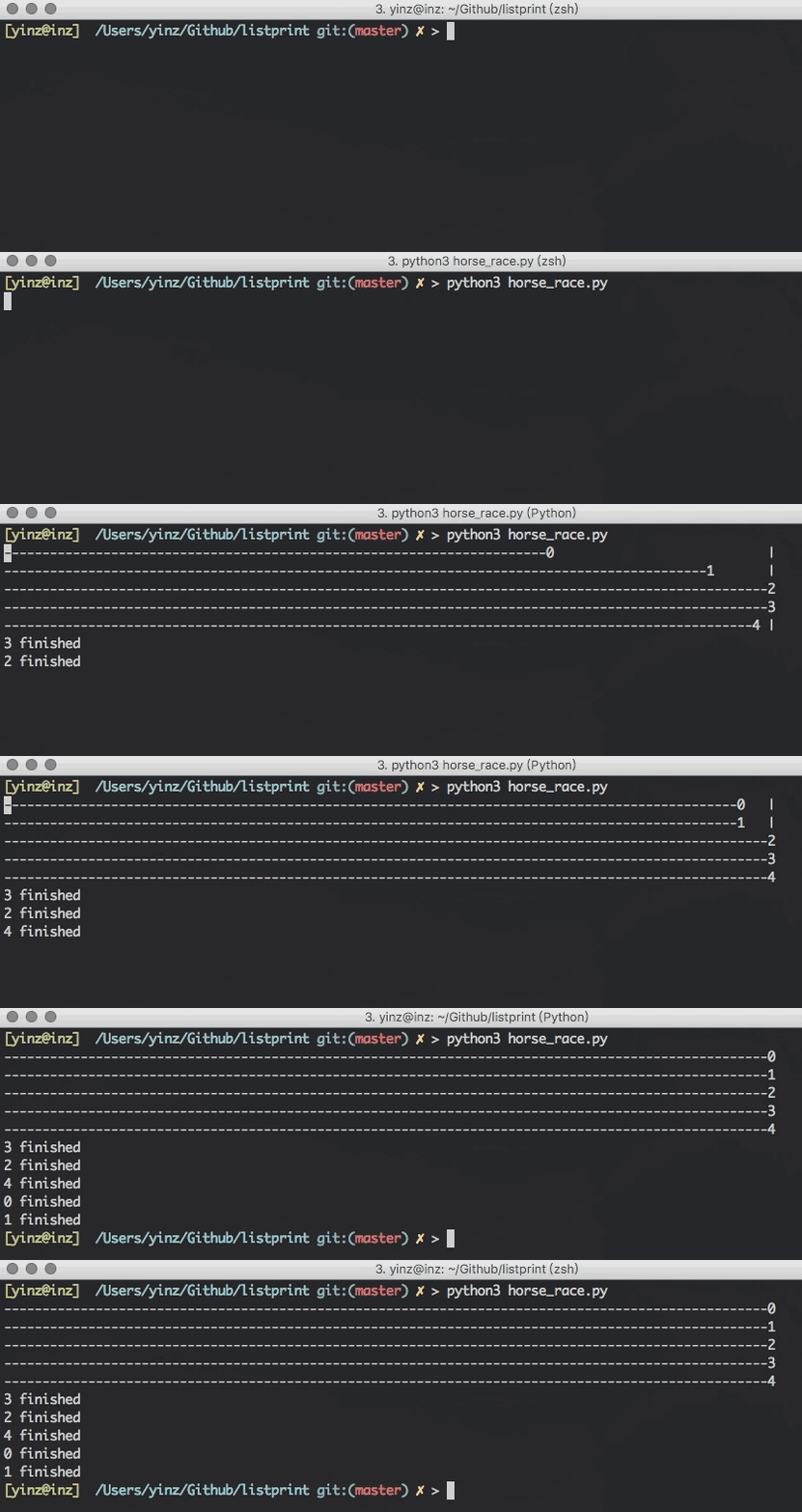
- Import the
outputobject
from reprint import output-
Use
withblock to control the initialization,outputobject contains the following parameters:output_type:"list"or"dict"(default:"list"), indicating the list mode or the dict mode.initial_len:int(default:1), only works in the list mode, indicating the initial length of the list. It's for modifying the content by index without initialization.interval:int(default:0), the minimal refresh interval (in millisecond). The refresh function call will be ignored unless at least this amount of time has passed since last refresh.
with output(output_type="list", initial_len=1, interval=0) as output_list:
-
Changing the variables in
output_listwill trigger the refresh of the command line output.
-
In the
withblock, anyprint/logging/Exceptioncommands that print texts on terminal would ruin the format of the reprint output. If you need to append some content to the end of the output, useappendfunction in theoutputobject (works both in the list or the dict mode). -
Don't assign a new
listordictto theoutputobject. If you want to change the whole list or dict, usechangefunction in theoutputobject (works both in the list or the dict mode). -
Old messages will not be fully wiped out if the height of the output is larger than the height of the terminal window. So you should control the length of your output.
- Or you may use the
force_single_linemode to force the output to stay in single line.
with output(output_type="list", initial_len=1, interval=0, force_single_line=True) as output_list:
- Or you may use the
-
The initialization of threading should be in the
withblock if you use reprint in threading. -
When used in non-terminal environment, reprint will use the built-in
printfunction. -
Does not work in the IDLE terminal, and any other environment that doesn't provide terminal_size.
Q: I want to use customize 'sort function' for dict mode to sort output lines, what should I do?
A: You can use that parameter name sort_key when initializing the output object, such as:
with output(output_type='dict', sort_key=lambda x:x[1]) as output_lines:then reprint will use that function as the key parameter in the sorted function
elif isinstance(content, dict):
    for k, v in sorted(content.items(), key=sort_key):
        print("{}: {}".format(k, v))
Q: How to disable all warning?
A: You can use that parameter name no_warning when initializing the output object, such as:
with output(no_warning=True) as output_list: