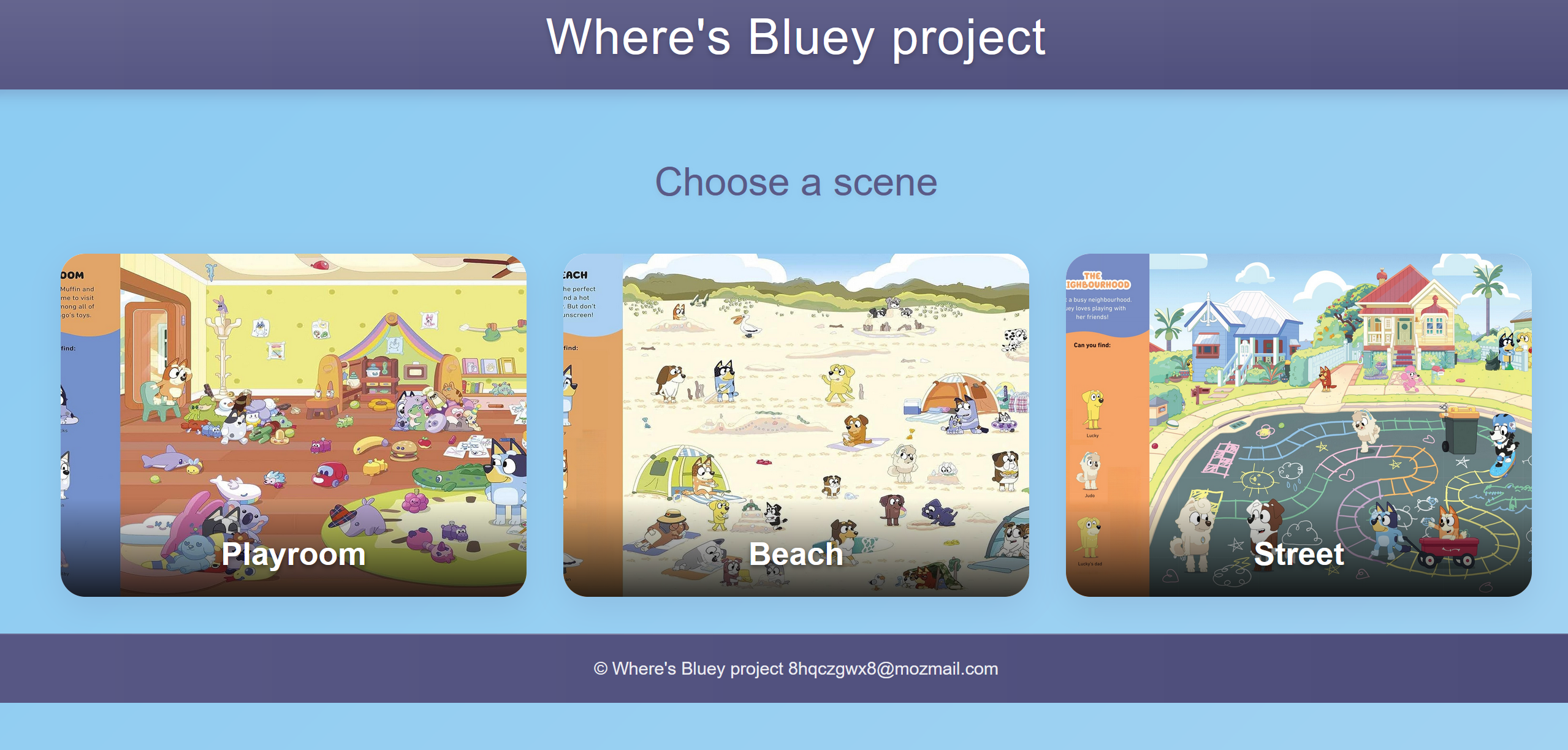
This project is a full-stack web app built with React, Node.js, Express, and Prisma as part of The Odin Project curriculum.
- Interactive Gameplay: Click on the image to find three characters, with a dropdown menu to select your guess.
- Timed Challenge: Track your time from start to finish, with durations accurately recorded on the backend.
- Leaderboard: Submit your name and time to see how you rank against other players.
- Backend-Driven: Character coordinates and game timing are managed via a robust Express API with a PostgreSQL database.
- Frontend: React, React router, vanilla CSS
- Backend: Node.js, Express
- Database: PostgreSQL with Prisma ORM
- APIs: RESTful endpoints for character coordinates, game start, and leaderboard rankings
- Deployment: Netlify for frontend client, Neon for db, Render for backend server.
Before you start, ensure you have:
- Node.js
- npm
- PostgreSQL installed locally or a hosted instance
- A code editor like VS Code
-
Clone the Repository:
git clone https://github.com/jonorl/wheres-bluey.git cd bluey-hide-and-seek -
Set Up the Backend:
- Navigate to
/backend:cd backend npm install - Create a
.envfile in the backend directory with your database URL:DATABASE_URL="postgresql://user:password@localhost:5432/bluey_db?schema=public"
- Run Prisma migrations to set up the database:
npx prisma migrate dev --name init
- Start the backend server:
The server runs on
npm start
http://localhost:3000by default.
- Navigate to
-
Set Up the Frontend:
- Navigate to the frontend directory (e.g.,
/client):cd frontend npm install - Update API URLs in
frontend/src/playroom.jsxif your backend is hosted elsewhere:const response = await fetch('https://your-backend-url/api/v1/characters/');
- Start the frontend development server:
The app runs on
npm start
http://localhost:3000(or another port if specified).
- Navigate to the frontend directory (e.g.,
-
Seed the Database (Optional):
- Populate the
Characterstable with initial data:INSERT INTO "Characters" (id, name, xrange, yrange) VALUES (gen_random_uuid(), 'Lucky', '{28,30}', '{30,37}'), (gen_random_uuid(), 'Judo', '{59,65}', '{45,58}'), (gen_random_uuid(), 'Bluey', '{88,92}', '{24,29}'), (gen_random_uuid(), 'Muffin', '{35,41}', '{74,81}'), (gen_random_uuid(), 'Lucky''s dad', '{90,94}', '{23,31}'), (gen_random_uuid(), 'Bob Bilby', '{36,39}', '{12,17}'), (gen_random_uuid(), 'Bingo', '{29,32}', '{15,19}'), (gen_random_uuid(), 'Socks', '{65,69}', '{40,51}'), (gen_random_uuid(), 'Pelican', '{39,44}', '{17,24}')
- Populate the
-
Start the Game:
- Open the app in your browser (e.g.,
http://localhost:3000). - Click the "Start Game" button to begin. This triggers a backend API call to record the start time.
- Open the app in your browser (e.g.,
-
Find the Characters:
- Left click on the image to open a dropdown menu.
- Select a character to check if they’re in that spot.
- Green checkmarks (✅) indicate a correct find; red crosses (🚫) mean try again!
-
Complete the Game:
- Find all three characters to finish the game. The end time will be recorded on the backend and the total time will be calculated.
- Enter your name in the congratulatory modal to submit your score.
-
View the Leaderboard:
- After submitting, see how your time ranks among the top 10 players.
- Click "Play Again" to restart.
- GET /api/v1/characters/: Fetch all character coordinates.
- POST /api/v1/ranking/start: Start a new game, returning a unique
id. - POST /api/v1/ranking/: Update a game entry with player name and end time, calculating duration.
- GET /api/v1/ranking/:scenario?: Retrieve the top 10 leaderboard entries (optional scenario filter).
bluey-hide-and-seek/
├── server/
│   ├── prisma/
│   │   └── schema.prisma       # Database schema
│   ├── src/
│   │   ├── routes/
│   │   │   └── mainRouter.js   # API routes
│   │   ├── db/
│   │   │   └── queries.js      # Database queries
│   ├── app.js                  # Main application
│   └── package.json
├── client/
│   ├── src/
│   │   ├── assets/             # Images (Bluey scene, character icons)
│   │   ├── Routes.jsx          # React Router
│   │   ├── Index.jsx           # Index/landing page
│   │   ├── index.css           # Index style
│   │   ├── Playroom.jsx        # Game scenario
│   │   └── scenario.css        # Custom styles
│   └── package.json
└── README.md
https://wheres-bluey.netlify.app/