




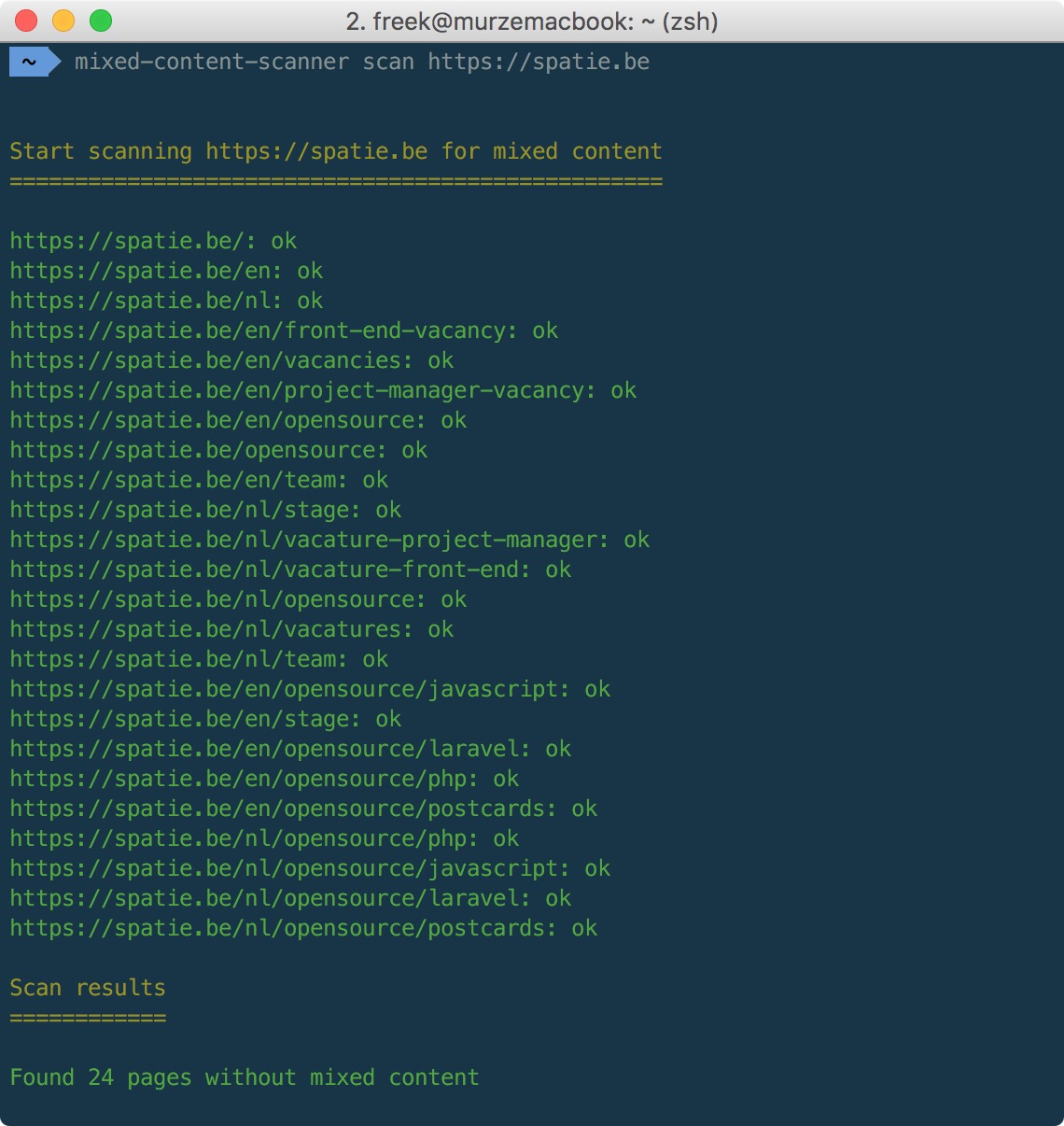
This repo contains a tool called mixed-content-scanner that can help you find pieces of mixed content on your site. This is how you can use it:
mixed-content-scanner scan https://spatie.beAnd of course our company site reports no mixed content.
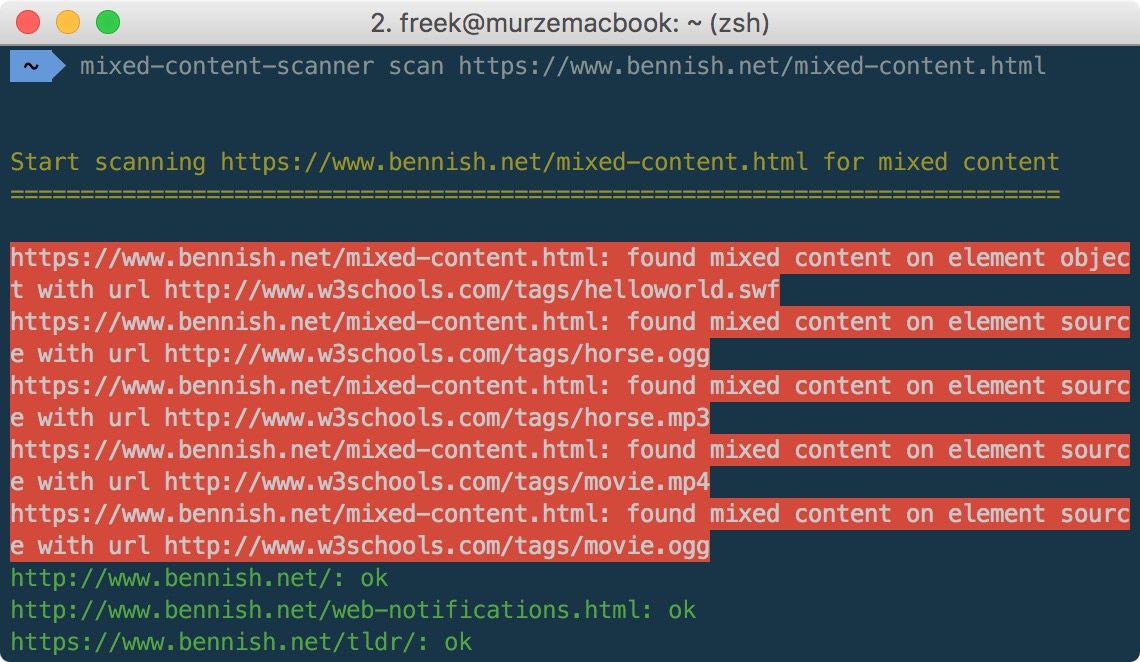
Here's an example of a local test server that does contain some mixed content:
We invest a lot of resources into creating best in class open source packages. You can support us by buying one of our paid products.
We highly appreciate you sending us a postcard from your hometown, mentioning which of our package(s) you are using. You'll find our address on our contact page. We publish all received postcards on our virtual postcard wall.
You can install the package via composer:
composer global require spatie/mixed-content-scanner-cliWhen scanning a site, the tool will crawl every page. On all html retrieved, these elements and attributes will be checked:
audio:srcembed:srcform:actionlink:hrefiframe:srcimg:src,srcsetobject:dataparam:valuescript:srcsource:src,srcsetvideo:src
If any of those attributes start with http:// the element will be regarded as mixed content.
The tool does not scan linked .css or .js files. Inline <script> or <style> are not taken into consideration.
You can scan a site by using the scan command followed by the url
mixed-content-scanner scan https://example.comYou might want to check your site for mixed content before actually launching it. It's quite common your site doesn't have an ssl certificate installed yet at that point. That's why by default the tool will not verify ssl certificates.
If you want to turn on ssl verification just use the verify-ssl option
mixed-content-scanner scan https://self-signed.badssl.com/ --verify-sslThat examples will result in non responding urls because the host does not have a valid ssl certificate
You can filter which urls are going to be crawled by passing regex to the filter and ignore options.
In this example we are only going to crawl pages starting with /en.
mixed-content-scanner scan https://spatie.be --filter="^\/en"You can use multiple filters:
mixed-content-scanner scan https://spatie.be --filter="^\/en" --filter="^\/nl"You can also ignore certain urls. Here we are going to ignore all url's that contain the word opensource.
mixed-content-scanner scan https://spatie.be --ignore="opensource"Of course you can also combine filters and ignores:
mixed-content-scanner scan https://spatie.be --filter="^\/en" --ignore="opensource"By default, the crawler will respect robots data. You can ignore them though with the --ignore-robots option.
mixed-content-scanner scan https://example.com --ignore-robotsBy default, the crawler uses the underlying guzzle client for the user agent. You can override this value with the --user-agent option.
mixed-content-scanner scan https://example.com --user-agent='MyCustomCrawler'Please see CHANGELOG for more information what has changed recently.
composer testPlease see CONTRIBUTING for details.
If you discover any security related issues, please email [email protected] instead of using the issue tracker.
You're free to use this package, but if it makes it to your production environment we highly appreciate you sending us a postcard from your hometown, mentioning which of our package(s) you are using.
Our address is: Spatie, Kruikstraat 22, 2018 Antwerp, Belgium.
We publish all received postcards on our company website.
The scanner is inspired by mixed-content-scan by Bram Van Damme. Parts of his readme and code were used.
The MIT License (MIT). Please see License File for more information.