
This is the official repository for the paper:
3D-R1: Enhancing Reasoning in 3D VLMs for Unified Scene Understanding
Ting Huang*, Zeyu Zhang*†, and Hao Tang#
*Equal contribution. †Project lead. #Corresponding author.
Note
💪 This and following visualizations show the zero-shot results of 3D-R1 in various complex scenes, demonstrating its incredible generalizability and state-of-the-art performance.
teaser.mp4
If you find our code or paper helpful, please consider starring ⭐ us and citing:
@article{huang20253d,
  title={3D-R1: Enhancing Reasoning in 3D VLMs for Unified Scene Understanding},
  author={Huang, Ting and Zhang, Zeyu and Tang, Hao},
  journal={arXiv preprint arXiv:2507.23478},
  year={2025}
}3D-R1 is an open-source generalist model that enhances the reasoning of 3D VLMs for unified scene understanding.
Large vision-language models (VLMs) have made significant strides in 2D visual understanding tasks, sparking interest in extending these capabilities to 3D scene understanding. However, current 3D VLMs often struggle with robust reasoning and generalization due to limitations in high-quality spatial data and the static nature of viewpoint assumptions. To address these challenges, we propose 3D-R1, a foundation model that enhances the reasoning capabilities of 3D VLMs. Specifically, we first construct a high-quality synthetic dataset with CoT, named Scene-30K, leveraging existing 3D-VL datasets and a data engine based on Gemini 2.5 Pro. It serves as cold-start initialization data for 3D-R1. Moreover, we leverage RLHF policy such as GRPO in the reinforcement learning training process to enhance reasoning capabilities and introduce three reward functions: a perception reward, a semantic similarity reward and a format reward to maintain detection accuracy and answer semantic precision. Furthermore, we introduce a dynamic view selection strategy that adaptively chooses the most informative perspectives for 3D scene understanding. Extensive experiments demonstrate that 3D-R1 delivers an average improvement of 10% across various 3D scene benchmarks, highlighting its effectiveness in enhancing reasoning and generalization in 3D scene understanding.

2025/08/07: 🎉 Our paper has been shared by Deep Blue AI.
2025/08/05: 🎉 Our paper has been shared by AK.
2025/08/04: 📌 Our paper has been promoted by AIxiv.
2025/08/03: 🔔 Our paper has been promoted by Learn AI with us.
2025/08/01: 📣 Our paper has been promoted by 52CV.
- Upload our paper to arXiv and build project pages.
- Upload the code.
- Release Scene-30K dataset. (see Scene-30K)
- Release RL part code.
- Release visualization script.
- Add a demo on huggingface.

Note
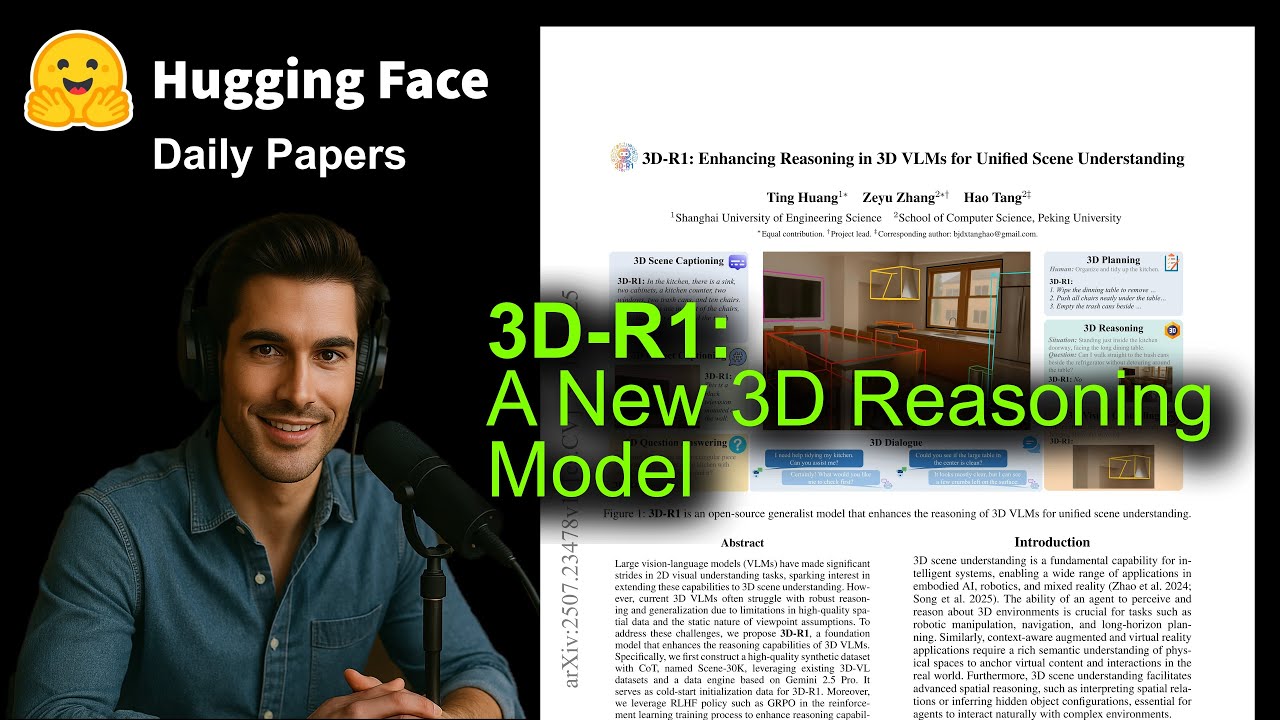
If you’d like to learn more about our paper, be sure to check out this youtube video by @AIResearchRoundup.
Our code is tested with CUDA 11.8 and Python 3.9.16. To run the codes, you should first install the following packages:
h5py
scipy
cython
plyfile
numpy==1.26.4
'trimesh>=2.35.39,<2.35.40'
networkx==3.2.1
'torch=2.0.1+cu118'
google-generativeai
peft>=0.7.0
transformers>=4.35.0
accelerate>=0.20.0
tqdm
orjson
clip @ git+https://github.com/openai/CLIP.git
git+https://github.com/LiheYoung/Depth-Anything.git
After that, build the pointnet2 and accelerated giou from source:
# PointNet++
cd third_party/pointnet2
python setup.py install

cd utils
python cython_compile.py build_ext --inplaceYou can download the pre-processed data from here. Process 3D data: Follow the instructions here and download the ScanNetV2 dataset.
Note
This step is required when enabling external multi-view and depth map options (i.e., when using --use_additional_encoders, --use_depth, or --use_image flags).
The preprocessed scannet_data does not include multi-view images and depth maps. If you plan to use the additional encoders, you need to download the multi-view images and depth maps:
- Download the data from: http://kaldir.vc.in.tum.de/3dsis/scannet_train_images.zip
- Extract the contents to your
data/scannet/scannet_data/directory. The extracted structure should have each scene folder (e.g.,scene0000_00/) containing:images/folder with multi-view images (.jpg,.png, or.jpegfiles)depth/folder with depth maps (.pngor.npyfiles)
For example, after extraction, your directory structure should look like:
data/scannet/scannet_data/
├── scene0000_00/
│   ├── images/
│   │   ├── image_000.jpg
│   │   ├── image_001.jpg
│   │   └── ...
│   ├── depth/
│   │   ├── depth_000.png
│   │   ├── depth_001.png
│   │   └── ...
│   ├── scene0000_00_aligned_vert.npy
│   └── ...
└── ...
To train the model, you are required to prepare language annotations from ScanRefer, Nr3D, ScanQA, and the ScanNet part of 3D-LLM.
ScanRefer. Follow the commands here to download theScanReferdataset.Nr3D. Follow the commands here to download theNr3Ddataset.ScanQA. Follow the commands here to download theScanQAdataset.3D-LLM. The data are located at here.
You can synthesize Scene-30K by:
bash script/synthesize_scene30K.shOr you can download from huggingface
If your server has no trouble auto-downloading weights from huggingface🤗, feel free to skip this step.
Download files from the Qwen2.5-VL-7B-Instruct checkpoint at huggingface.
We provide training script in the script folder with different LLM backends. Feel free to modify the hyper parameters in those commands.
SFT on Scene-30K as a cold-start:
bash script/train.generalist.shbash script/train.rl.shRun evaluation/inference with a trained checkpoint on the validation set:
bash script/infer.shWe provide a Rerun-based visualizer for point clouds and 3D bounding boxes. It supports .ply point clouds and .npz/.json predictions.
- Install dependencies (local visualization):
pip install rerun-sdk trimesh plyfile- Run the convenience script (edit paths to your data first):
bash script/visualize.shFor detailed instructions (recording demos, end-to-end from video to point cloud, troubleshooting), see
visualization/README.md.
3D Scene Dense Captioning (3D-DC)
3d_dc_demo.mp4 |
3D Object Captioning
3d_object_captioning_demo.mp4 |
3D Visual Grounding (3D-VG)
3d_vg_demo.mp4 |
3D Question Answering (3D-QA)
3d_qa_demo.mp4 |
3D Dialogue
3d_dialogue_demo.mp4 |
3D Reasoning
3d_reasoning_demo.mp4 |
3D Planning
3d_planning_demo.mp4 |
We thank the authors of Qwen, LSceneLLM, ARKit, and DeepSeek-Math for their open-source code.

