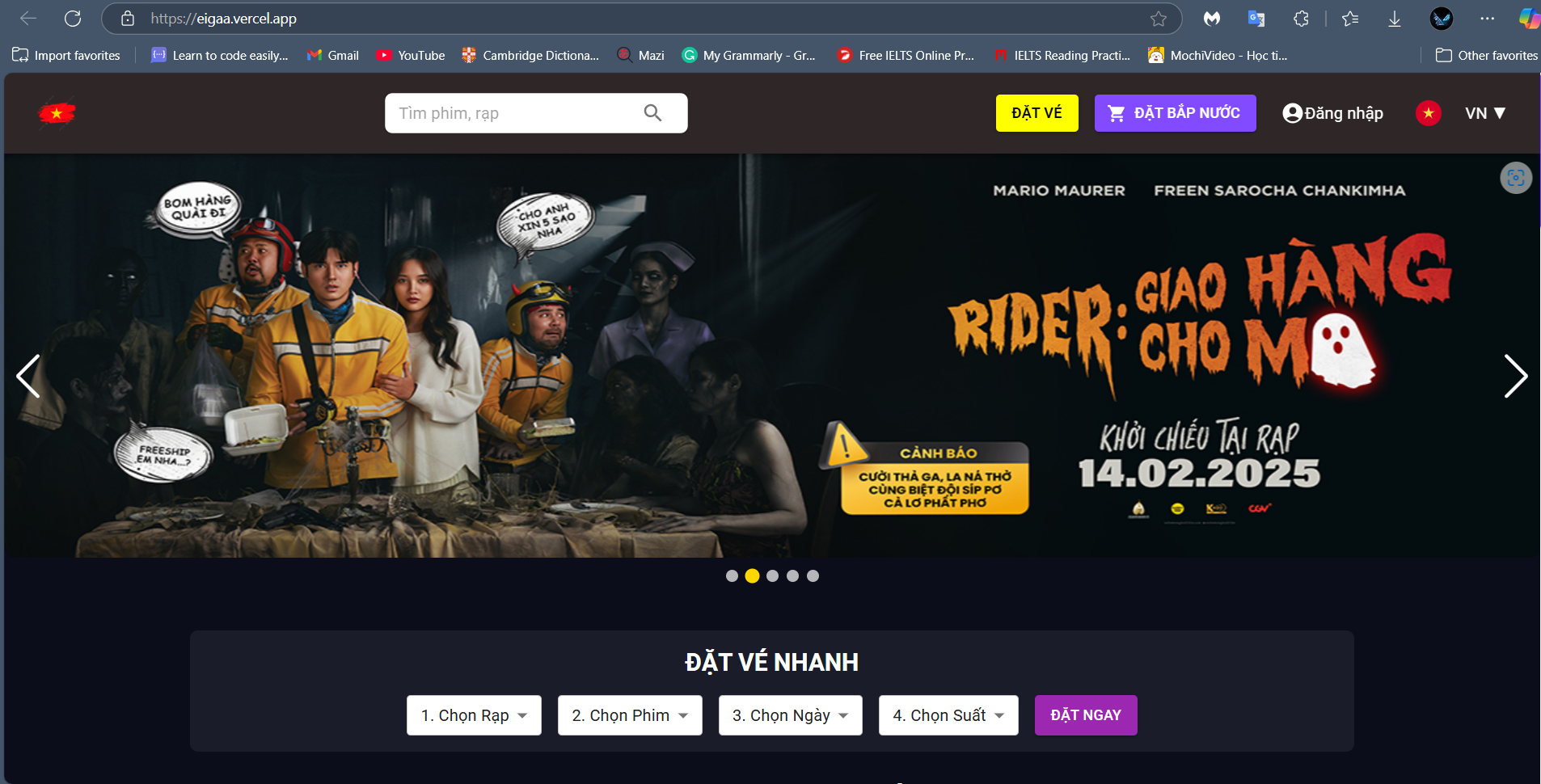
The Movie Management System is a web-based application designed to facilitate the management of movie theaters, including scheduling, ticket booking, and user management. The project consists of a React (Vite + TypeScript) frontend and an ASP.NET Core backend.
- User Management
- Browse and search movies
- View movie details and showtimes
- Book tickets
- View Promotions
- Manage movies (add, update, delete)
- Manage showtimes and theaters
- Manage ticket bookings
- Manage promotions
- Member and Employees management
- View analytics and reports
- React 18
- Vite for fast build and development
- TypeScript for type safety
- React Router for navigation
- Axios for API calls
- TailwindCSS / Material UI for styling
- ASP.NET Core 8.0
- Entity Framework Core for database access
- SQL Server as the database
- Identity for authentication and authorization
- Swagger for API documentation
- Node.js (v16 or later) and npm
- .NET SDK (8.0)
- SQL Server (LocalDB or full version)
- Clone the repository:
git clone https://github.com/your-repo/movie-management.git cd movie-management/backend - Install dependencies:
dotnet restore
- Set up the database:
dotnet ef database update
- Run the API:
The backend should be running at
dotnet run
https://localhost:7119
- Navigate to the frontend folder:
cd ../frontend - Install dependencies:
npm install
- Create a
.envfile and configure API base URL:VITE_API_BASE_URL=http://localhost:7119/api
- Run the frontend:
The frontend should be running at
npm run dev
http://localhost:3000
The backend provides the following API endpoints:
GET /api/movies- Retrieve all moviesGET /api/movies/{id}- Retrieve movie detailsPOST /api/movies- Add a new movie (Admin only)PUT /api/movies/{id}- Update a movie (Admin only)DELETE /api/movies/{id}- Delete a movie (Admin only)POST /api/auth/register- Register a new userPOST /api/auth/login- User loginPOST /api/tickets- Book a ticket
For full API documentation, access https://localhost:7119/swagger
- Deploy the ASP.NET Core API to Azure App Services, AWS, or on-premises IIS.
- Configure SQL Server connection string in
appsettings.json.
- Build the frontend using:
npm run build
- Deploy using Vercel.
This project is licensed under the MIT License - see the LICENSE file for details.