Markdown syntax highlighter for iOS and macOS.



Marklight is a drop in component to easily add realtime Markdown syntax highlight on any user editable text view in iOS and macOS applications. Marklight doesn't include HTML generation from Markdown, but you can use one of the many other components available like Markingbird.
Regular expressions are taken from Markingbird, a Markdown parser and html generator.
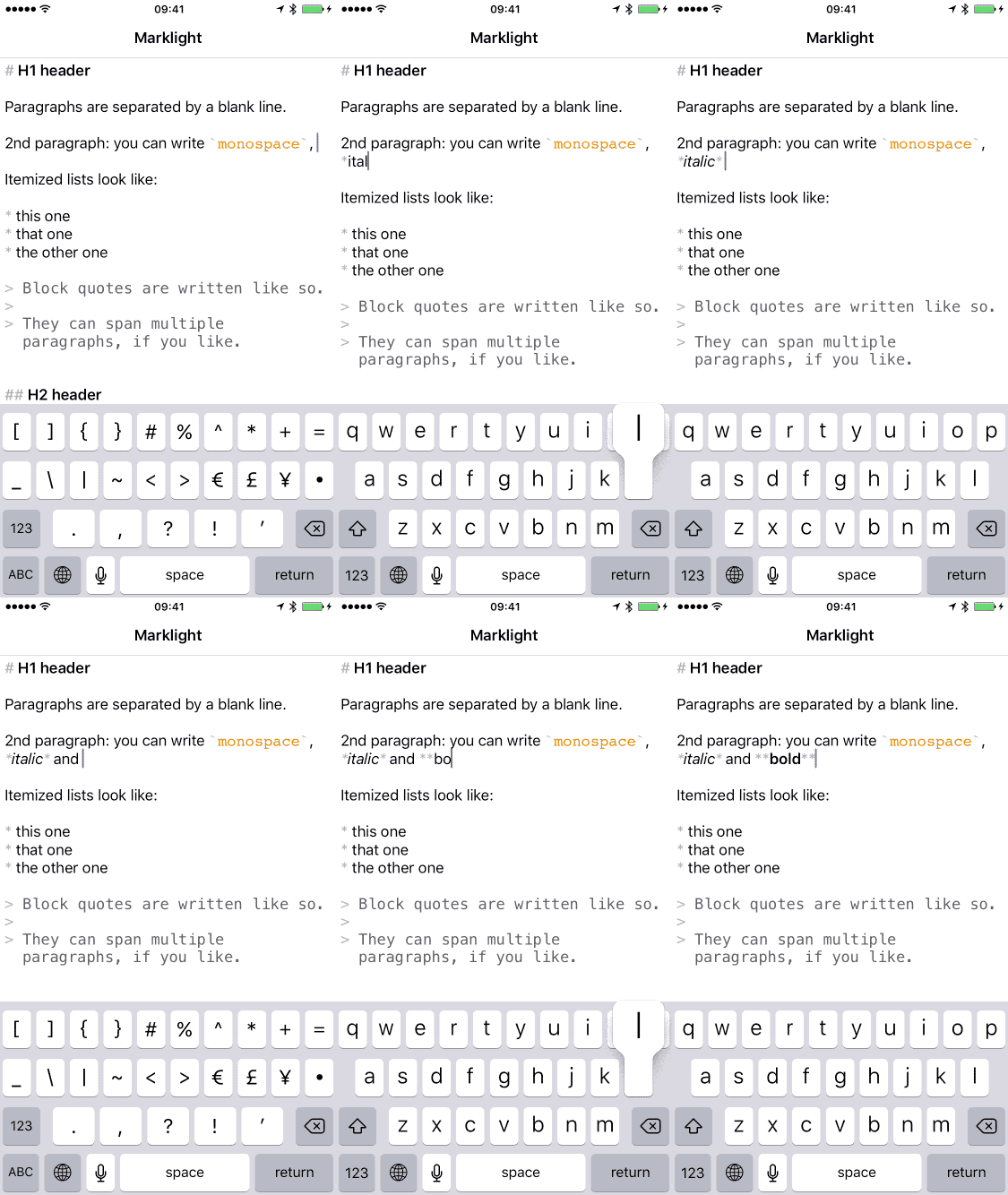
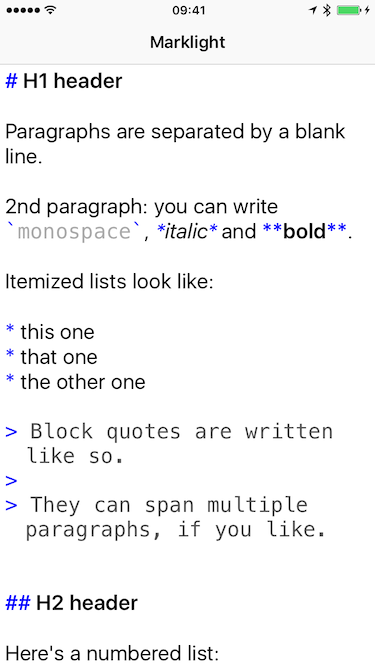
- Applicable to any
UITextView. -
NSTextStoragesubclass ready to use. - Struct optimized for performances.
- Swift 5.x compatible.
- Dynamic text style supported.
- Choose markdown syntax color.
- Choose font and color for code blocks.
- Choose font and color for quotes.
- Choose dynamic type font text style.
- Quote indentation.
- Documented.
- macOS compatibility.
- Parsing tests.
- Performance tests.
- iOS 13.0+
- Xcode 14.0+
- macOS 11+
let package = Package(
    name: "MyServer",
    dependencies: [
        .package(url: "https://github.com/DruideInformatiqueInc/Marklight.git", .upToNextMajor(from: "1.5.0"))
    ]
)In this repository you can find a sample project with few lines of code in the ViewController class for a jumpstart.
Sample code is written in Swift but Objective-C should be supported too, if you find an incompatibility please open an issue.
The easiest way to crete a user editable UITextView with markdown syntax highlight is to use the provided MarklightTextStorage class as NSTextStorage and add the UITextView's textLayout to the MarklightTextStorage text storage.
Import Marklight modules into your Swift class
import MarklightIn your UIViewController subclass keep a strong instance of the this MarklightTextStorage class.
let textStorage = MarklightTextStorage()Customize the appearance as desired:
- Dynamic text style.
- Markdown syntax color.
- Code's font and color.
- Quotes' font and color.
As per Apple's documentation it should be enough to assign the UITextView's NSLayoutManager to the NSTextStorage subclass, in our case MarklightTextStorage.
textStorage.addLayoutManager(textView.layoutManager)However I'm experiencing some crashes if I want to preload some text instead of letting the user start from scratch with a new text. A workaround is proposed below.
For simplicity we assume you have a String to be highlighted inside an editable UITextView loaded from a storyboard.
let string = "# My awesome markdown string"Convert string to an NSAttributedString
let attributedString = NSAttributedString(string: string)Set the loaded string to the UITextView
textView.attributedText = attributedStringAppend the loaded string to the NSTextStorage
textStorage.appendAttributedString(attributedString)Enjoy.
Marklight is heavily based on Markingbird, so many thanks to Kristopher Johnson and every previous contribution on which Markingbird is based upon.
Marklight is released under the MIT license. See LICENSE for details.