
Your unfair advantage in academia.
Stop sending PDFs into the void. Build a living portfolio that boosts citations and lands offers.
Trusted by 250,000+ researchers at MIT, Stanford, and Google.
🚀 Launch Free (60s) • Live Demo • Visual Editor


Most CVs are static PDFs that get lost in the pile. This is an intelligent portfolio that works 24/7 to advance your career.
- 🔮 Future-Proof: Your content lives in simple Markdown. No database to break, no lock-in.
- 🤖 AI-Ready: Optimized for search engines and LLMs, so your work is found and cited.
- ⚡ Zero Maintenance: Auto-import citations from BibTeX and focus on research.
- ✍️ Edit Visually: Use HugoBlox Studio in VS Code — no coding needed. Full capabilities in Pro.

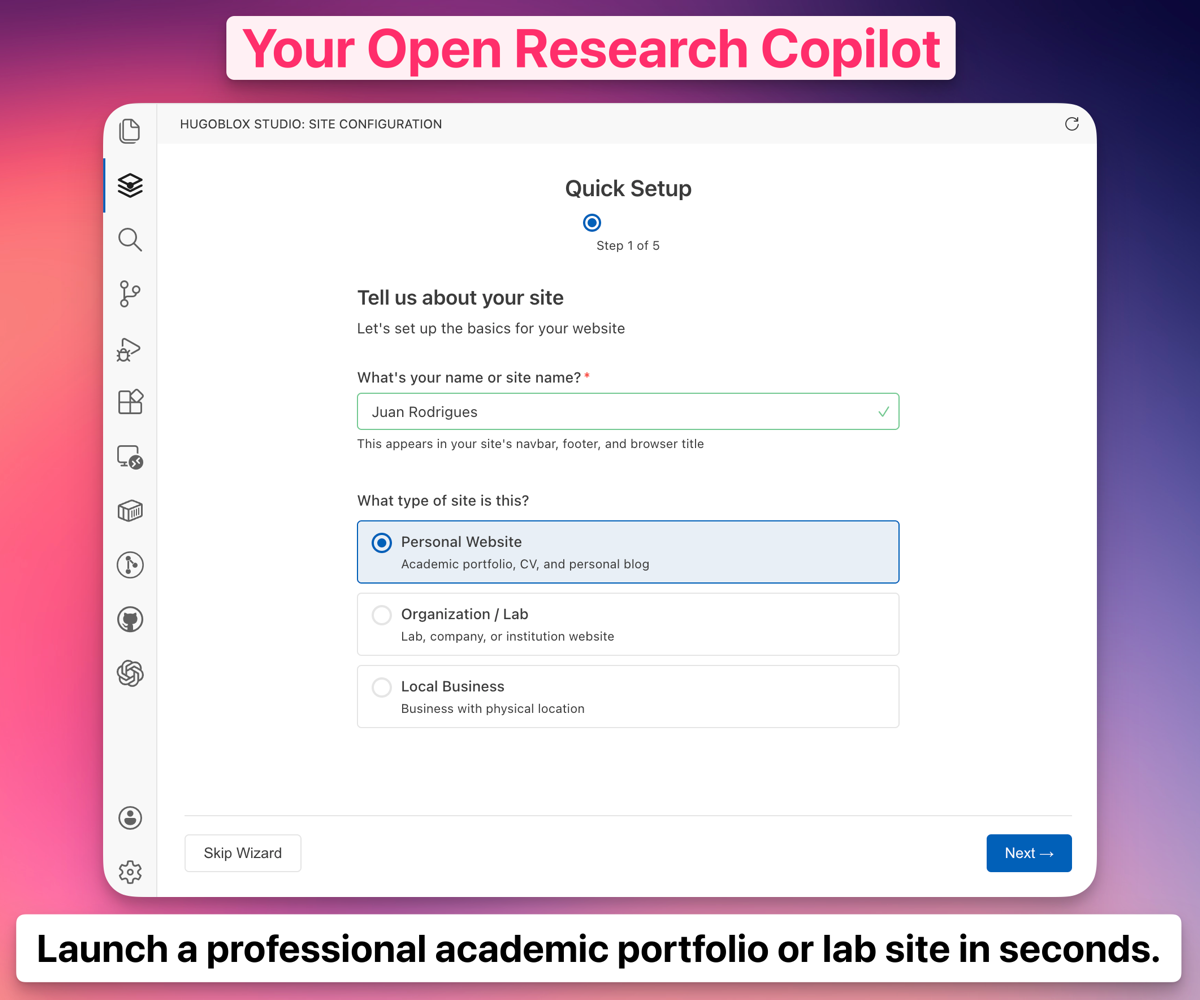 HugoBlox Studio: Drag-and-drop page builder inside VS Code.
"My citations went up 3x after switching to this template. The citation auto-sync feature is a lifesaver." — Dr. Zhang, AI Research Scientist, Meta
- Students and grads applying to top labs and industry roles
- Researchers who want a living, citable portfolio
- Faculty/PIs showcasing publications, talks, and group news
| Feature | Benefit |
|---|---|
| Markdown, Jupyter, RStudio | Write in the tools you already use. |
| Auto-Update Citations | Drop in a BibTeX file; formatted lists generated automatically. |
| Visual Editor | Drag-and-drop blocks to build pages in minutes. |
| Global CDN | Blazing fast load times (100/100 Lighthouse scores). |
| Privacy First | You own your data. Host for free on GitHub Pages. |
- Publish your actual
.ipynbas beautiful long-form posts — code, outputs, and narrative kept intact. - Slides in Markdown with Reveal.js: math, syntax highlight, diagrams, speaker notes.
- Coming soon: Notebook → Slides (beta). Request early access in Discord.
Learn more: docs on Notebooks and Slides.
- Enhanced HugoBlox Studio visual editor — save 10–20 hours setting up and polishing
- Premium CV & Resumé designs — make an unforgettable first impression
- Pro blocks, remove attribution, and priority support
| Feature | Academic CV (Free) | Academic CV Pro & Resumé Pro |
|---|---|---|
| Design | Professional & clean | Premium designs |
| Layouts | Standard sections | Advanced timelines & layouts |
| Courses/Lectures | Basic | Fully-Featured |
| First Impression | Strong | Unforgettable |
| Discord Support | Community | Priority |
💎 Upgrade to Pro
✨ Deploy Academic CV Pro
•
📄 Deploy Resumé Pro
Launch a fully hosted site in your browser. No software to install.
- Install HugoBlox Studio for VS Code
- Open this project and edit visually
- Install Hugo
- Create your site with the CLI:
npx hugoblox create site --template academic-cv- Do I need to know Hugo? No — you can edit visually or write Markdown.
- Can I host for free? Yes — GitHub Pages/Netlify are supported.
- Can I export/migrate later? Yes — your site is just files.
- Can I cancel Pro anytime? Yes.
MIT © 2016-Present George Cushen
![@github-actions[bot]](https://avatars.githubusercontent.com/in/15368?s=64&v=4)


