Region Highlighter enhances the default region abilities of Visual Studio Code editor.
Supports quick region generation or undo using commands, and provides a rich way of colorizing regions.
🎉 Advantage: it support for all Visual Studio Code built-in region languages.
This command generates a region block of the selected text, passing in the optional name as the identifier:
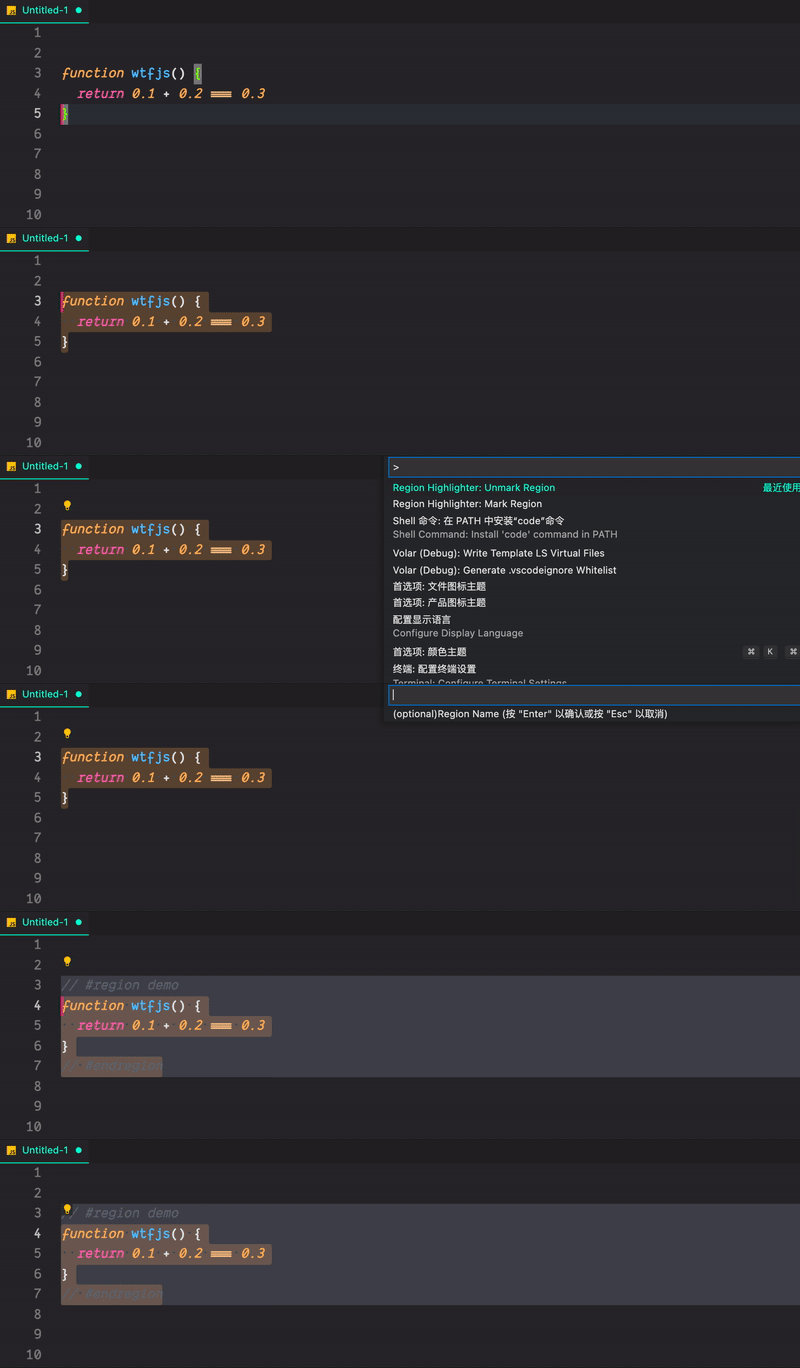
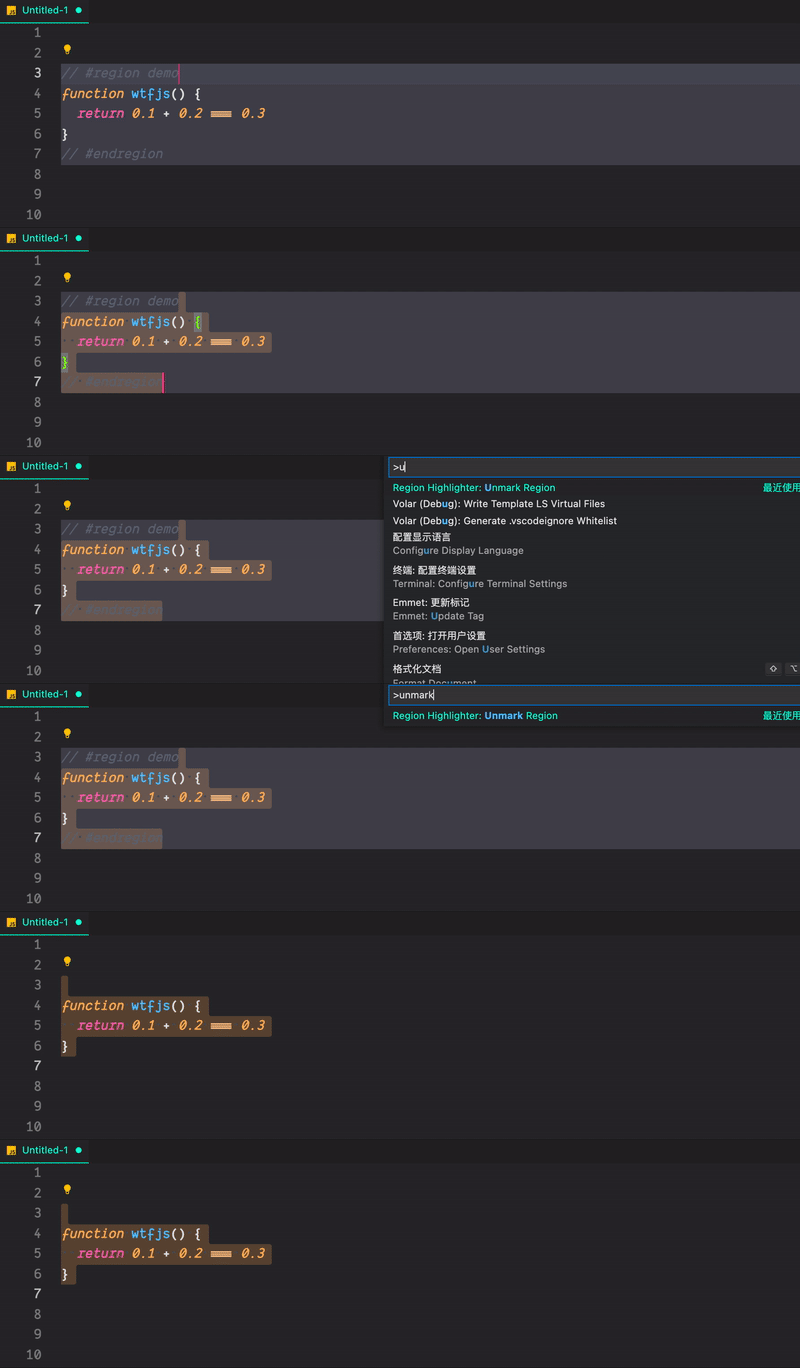
This command undoes a region block of the selected text.
Note that the selected text must contain start and end region comment statements
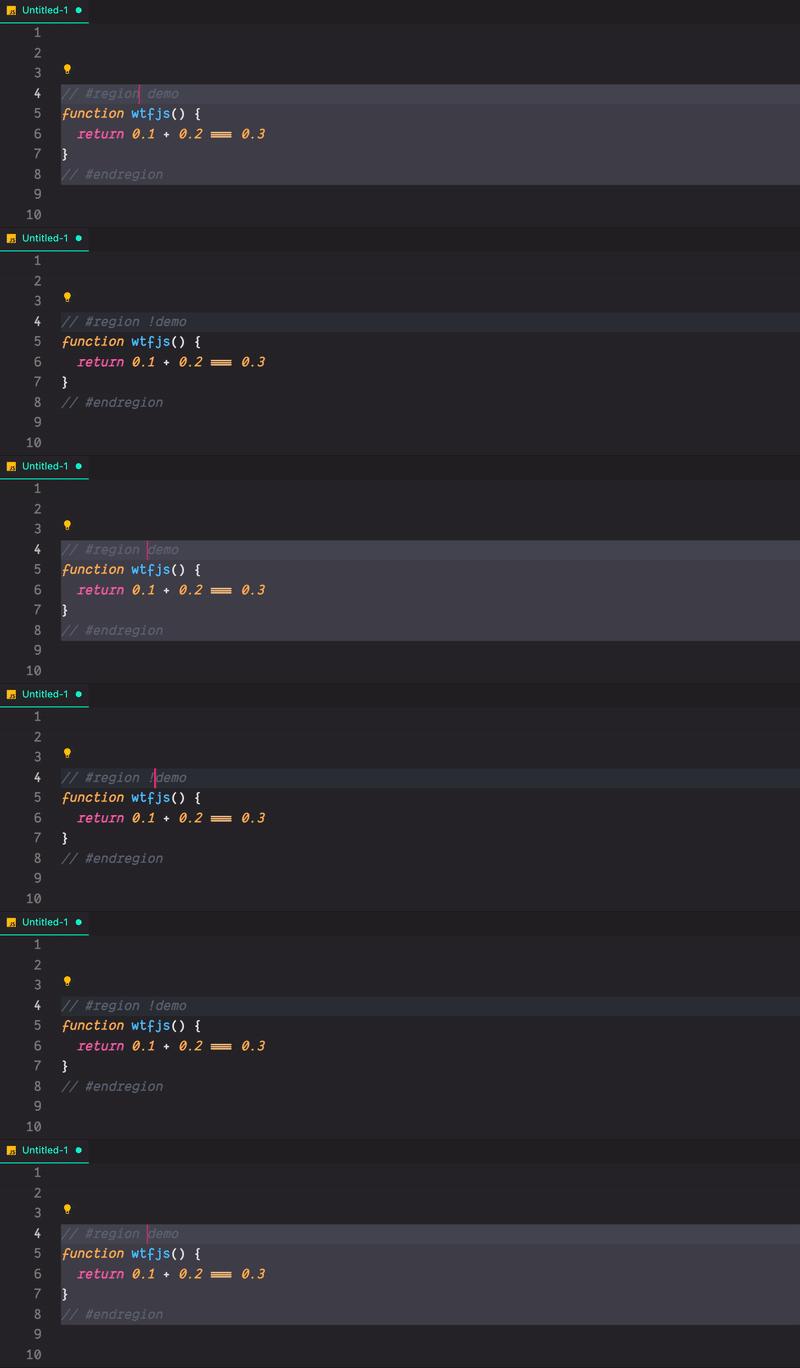
Does not decorate current region when the first character outside the region marker matches the flag.
default flag is
!
| Language | Start region | End region |
|---|---|---|
| Bat | ::#region or REM #region |
::#endregion or REM #endregion |
| C#/Coffeescript/PHP/PowerShell | #region |
#endregion |
| Python | #region or # region |
#endregion or # endregion |
| Vue/TypeScript/JavaScript/Rust/Golang | // #region |
// #endregion |
| C/C++ | #pragma region |
#pragma endregion |
| Css/Less/Scss | /*#region*/ |
/*#endregion*/ |
| F# | //#region or (#_region) |
//#endregion or (#_endregion) |
| Java | //#region or //<editor-fold> |
// #endregion or //</editor-fold> |
| Markdown/HTML | <!-- #region --> |
<!-- #endregion --> |
| Perl5 | #region or =pod |
#endregion or =cut |
| Visual Basic | #Region |
#End Region |
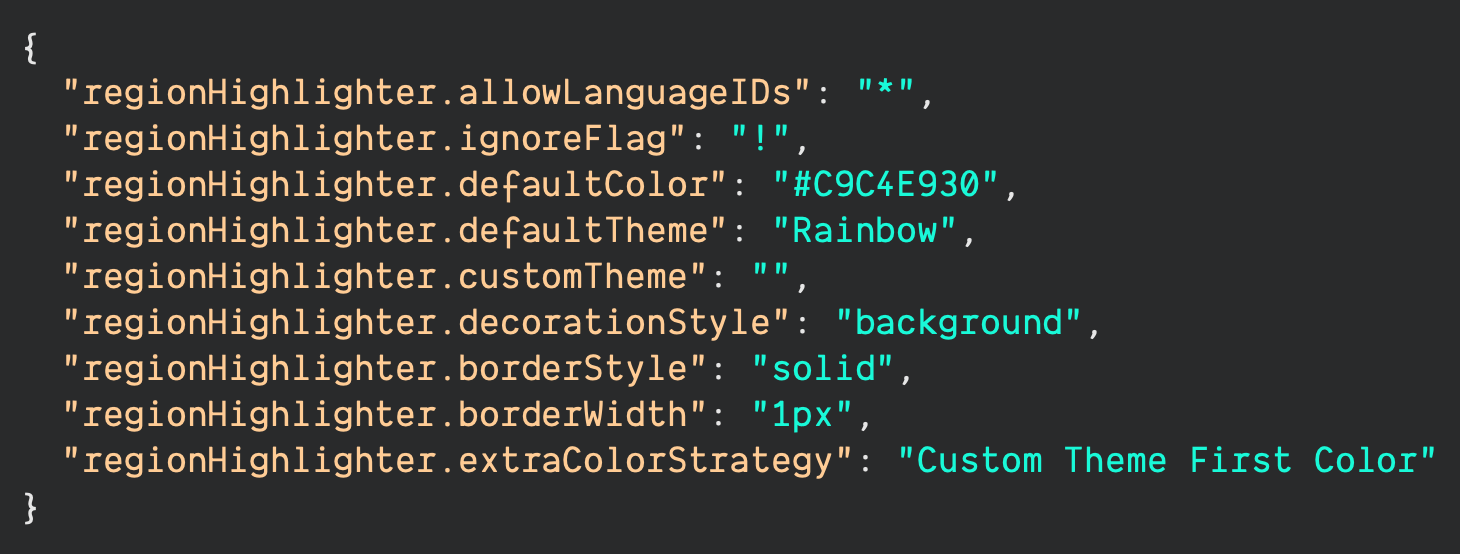
IDs which this extension will work on. Identifiers have to be separated by a comma.
* means that all the languages. eg: javascript,typescript.
Does not decorate current region when the first character outside the region marker matches the flag.
Default region in CSS style, eg: pink / rgb(255,192,203) / hsl(350deg,100%,88%) / #FFC2CC.
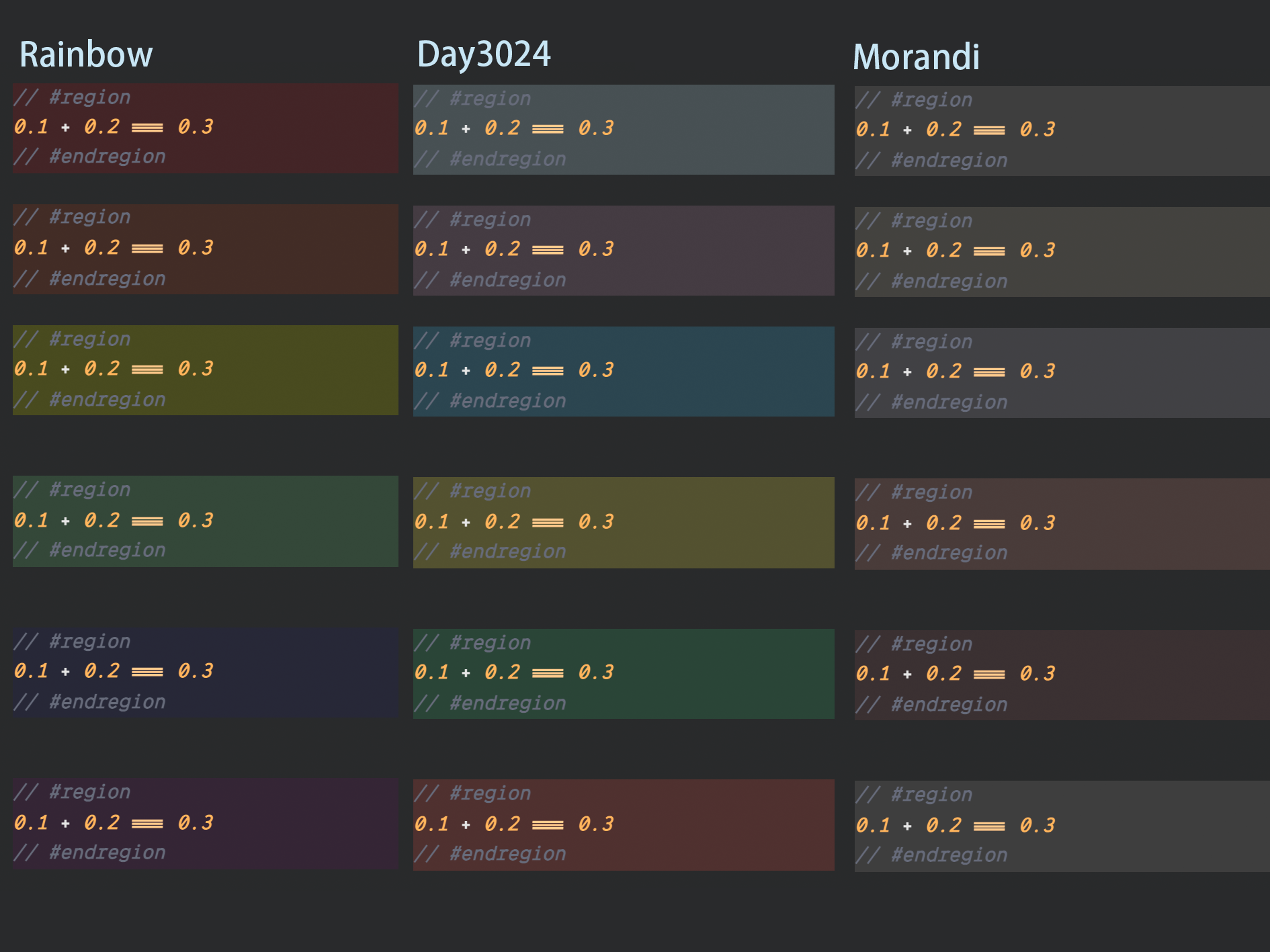
Default region backgroundColor theme, optional:
[
  "Rainbow",
  "Day3024",
  "Morandi",
  "Custom Theme",
  "Default Color"
]Only applies when regionHighlighter.defaultTheme is set to Custom Theme.
It support two configuration format: Array<color> and Array<{label: string, color: string }>. eg:
[
  "#FF00001A",
  "#FF45001A",
  "#FFFF0026",
  "#0000FF0D",
  "#8000801A"
]
or
[
  {
    "label": "red",
    "color": "FF00001A"
  },
  {
    "label": "orange",
    "color": "#FF45001A"
  },
  {
    "label": "yellow",
    "color": "#FFFF0026"
  },
  {
    "label": "green",
    "color": "#90EE9026"
  },
  {
    "label": "blue",
    "color": "#0000FF0D"
  },
  {
    "label": "purple",
    "color": "#8000801A"
  }
]
the label property will be available for customizing the introverted region color in future.
Default decoration region style, optional:
[
  "border",
  "background"
]Decorative region border style. Only applies when regionHighlighter.decorationStyle is set to border, optional:
[
  "solid",
  "dashed",
  "dotted",
  "double",
  "groove"
]Decorative region border width. Only applies when regionHighlighter.decorationStyle is set to border.
The decoration strategy chosen when the length of region blocks in the editor exceeds the preset color length, optional:
[
  "Default Color",
  "Custom Theme First Color",
  "Custom Theme Last Color"
]by @LincZero
add Chinese README,fix some README bug
by @LincZero
fix #7
build: (can use VSCode Codespace env)
npm install
# npm audit fix --force
# npm install

npm install -g vsce
vsce package
y
install (fork version):
vscode Expansion panel > top right corner > Extension: install from VSIX...
or Ctrl Shift P: Extension: install from VSIX...
-
docs: change description of Language support -
feat: support match language of golang and rust
- first release!