Protect .NET Core 2.0 DLL by Skater .NET Obfuscator

Skater supports .NET Core 2.0 projects where the publish output is a DLL file (Framework-dependent deployment). When the publish output is an EXE file that calls .NET Core DLL (Self-contained deployment) the final DLL has to be obfuscated as well. There are two types of .NET Core apps can be built:

To test how Skater Obfuscator protects .NET Core assemblies open Visual Studio 2017 and create new .NET Core project.
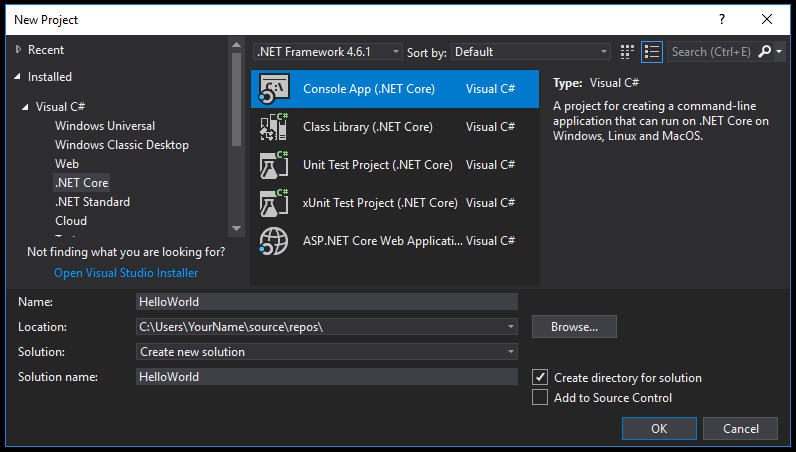
In the Name text box, type "HelloWorld". Select the OK button. Visual Studio uses the template to create your project. The C# Console Application template for .NET Core automatically defines a class, Program, with a single method, Main, that takes a String array as an argument. Main is the app entry point, the method that's called automatically by the runtime when it launches the application. Any command-line arguments supplied when the application is launched are available in the args array. The template creates a simple "Hello World" application. It calls the Console.WriteLine(String) method to display the literal string "Hello World!" in the console window. By selecting the HelloWorld button with the green arrow on the toolbar, you can run the program in Debug mode. If you do, the console window is visible for only a brief time interval before it closes. This occurs because the Main method terminates and the application ends as soon as the single statement in the Main method executes.
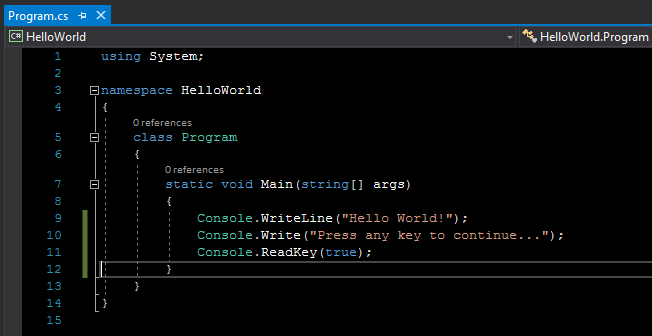
To cause the application to pause before it closes the console window, add the following code immediately after the call to the Console.WriteLine(String) method:
Console.Write("Press any key to continue...");
Console.ReadKey(true);
This code prompts the user to press any key and then pauses the program until a key is pressed. You will get the following source code:
On the menu bar, select Build > Build Solution. This compiles your program into an intermediate language (IL) that's converted into binary code by a just-in-time (JIT) compiler.
Run the program by selecting the HelloWorld button with the green arrow on the toolbar.
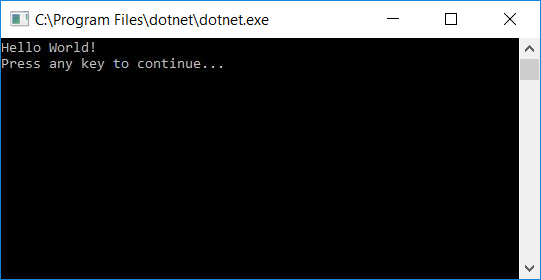
Press any key to close the console window.
Take a look what we got after the HelloWorld.dll .NET Core app decompilation:
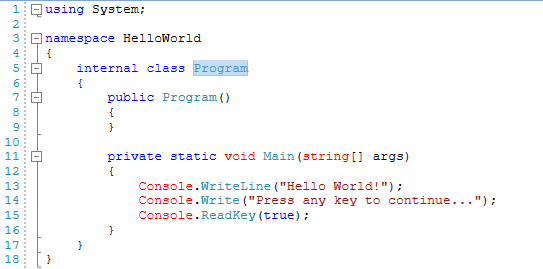
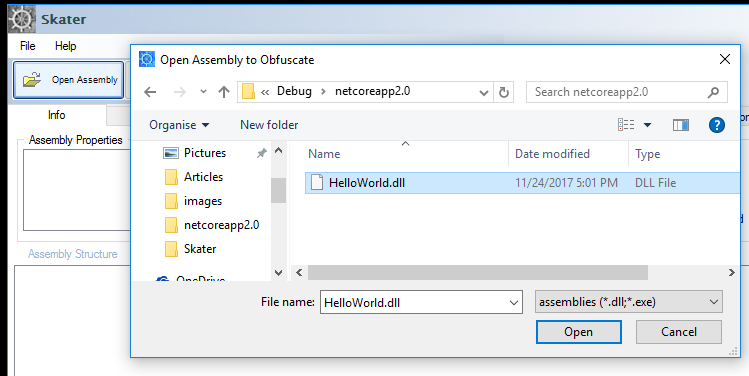
We can see the non-obfuscated "Hello World!" string in the decompiler's interface. Decompilation tools can decompile a .NET assembly directly back to a high level language like C#, VB .NET, or C++. We are ready now to obfuscate the sample HelloWorld.dll .NET Core app by using Skater .NET Obfuscator. In Skater .NET Obfuscator open HelloWorld app.
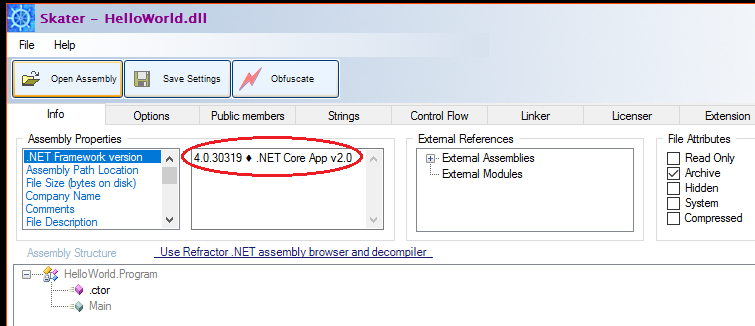
Skater immediately identifies the HelloWorld.dll is .NET Core assembly:
Now you can adjust HelloWorld.dll app obfuscation settings and run its protection process.
After all you need to check what the output of the Skater obfuscation and how HelloWorld.dll app is protected.
When you run the obfuscated app (dotnet HelloWorld.dll runs an application named HelloWorld in command-line cmd interface.) it produces the same result. Take a look what changed inside the simple program. We need to run the decompiler again against the new obfuscated dll and it will give us the following decompilation result:
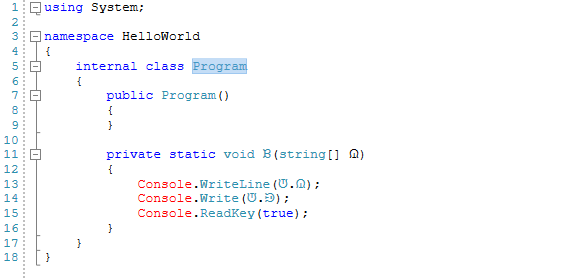
The "Hello World!" string has been allocated by Skater into a public variable then it was encrypted. We can pretty easily spot the encrypted string inside that decompiled script. Should this make it pretty obvious that our code is protected? Is it not simply too easy to decrypt the safe .NET Core source code? Almost. An absolute hacker still can choose a password for the encrypted string and decompile it. As a conclusion, no matter what we do, if our code is placed at the end-user's PC/Mac/Phone, it is not safe. As long as the code is placed at the end-user, all we can do is to make it as unwieldy as possible to get to the original source code, with any luck avoiding most hacker's attempts.