
Heart is a cross-platform C++ 3D renderer and game engine which is centered around a CPU task system, an entity component system, and C# scripting for games. Powered by the Flourish graphics library, the engine provides high speed and quality graphics. It also has experimental support for hardware-accelerated real-time ray tracing.
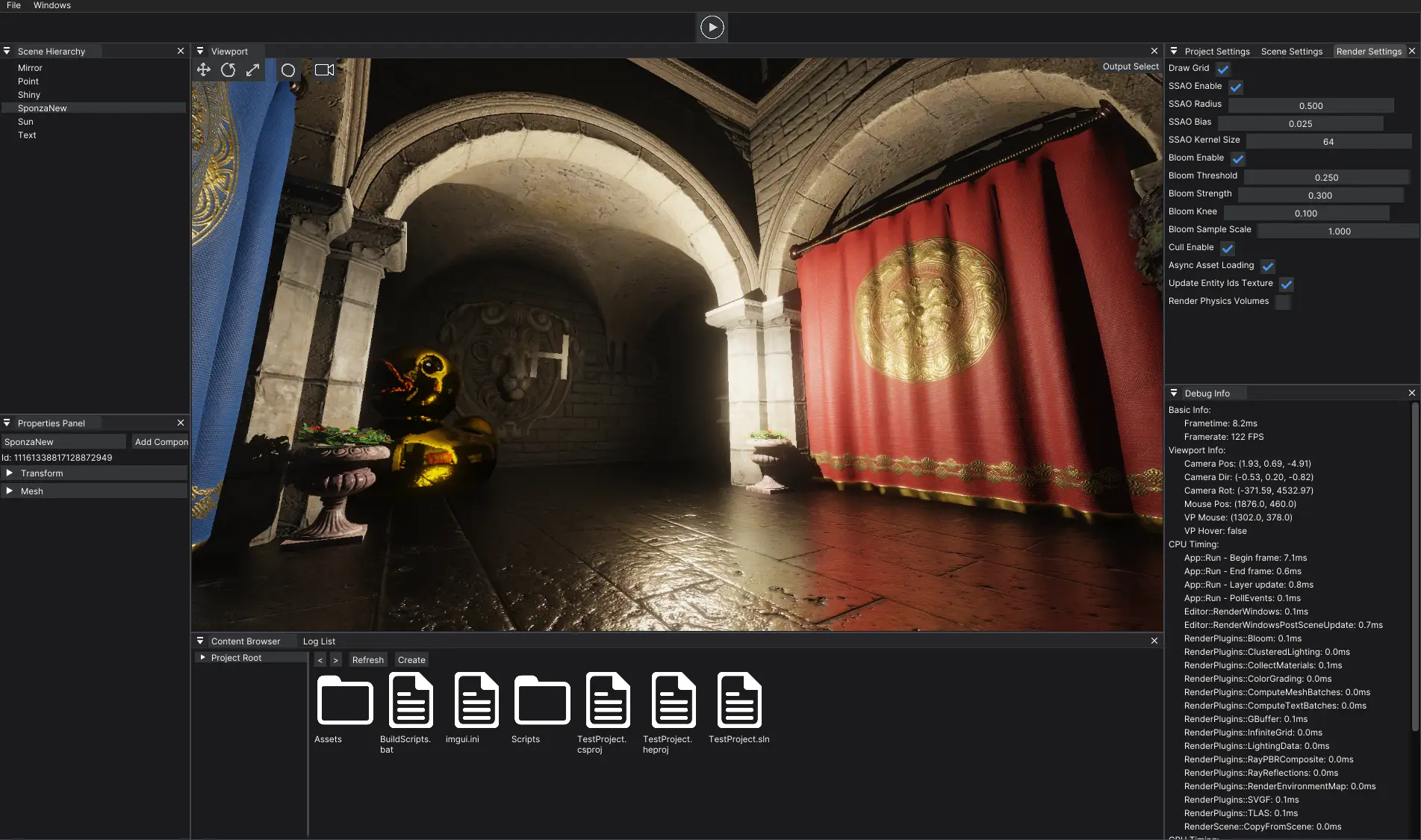
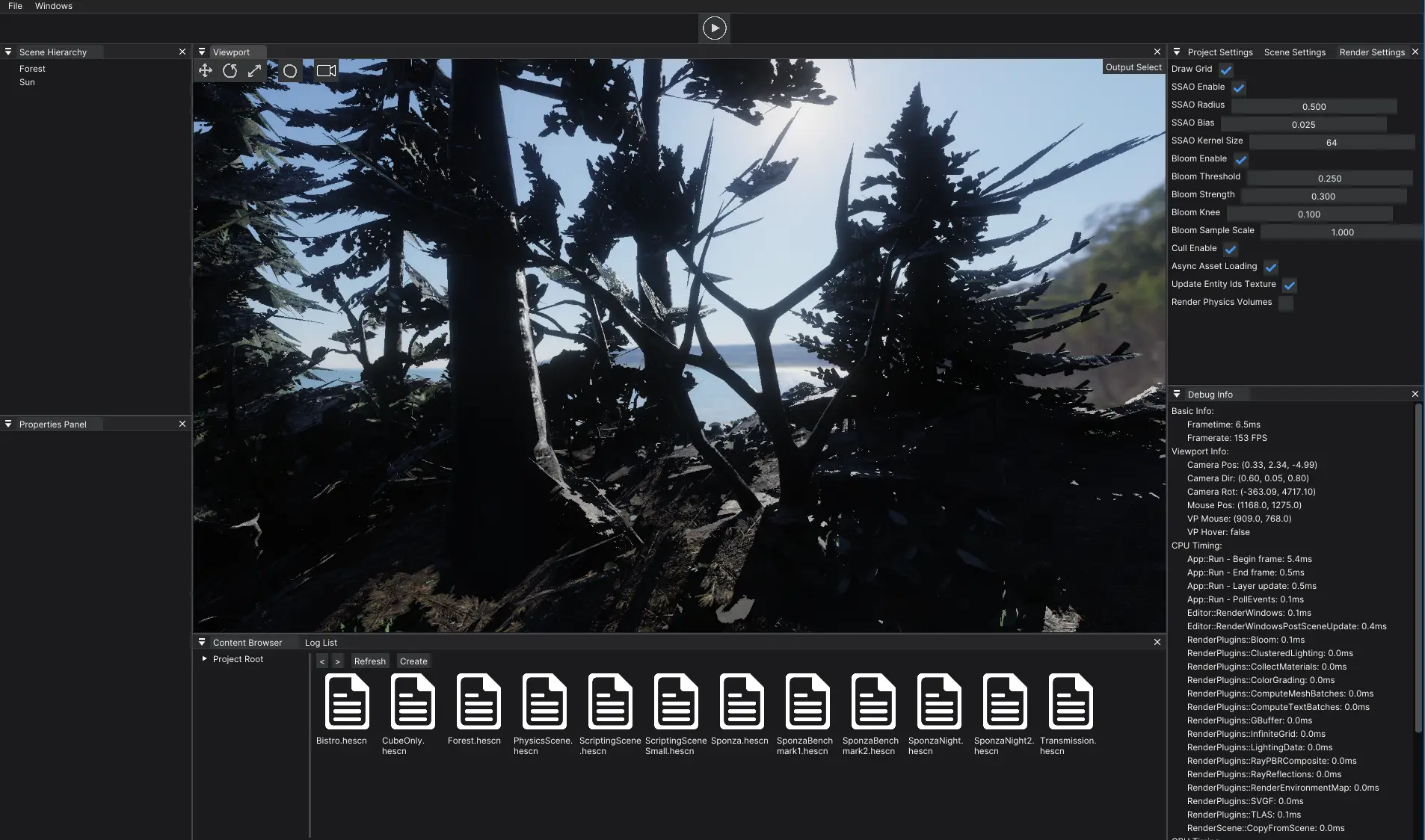
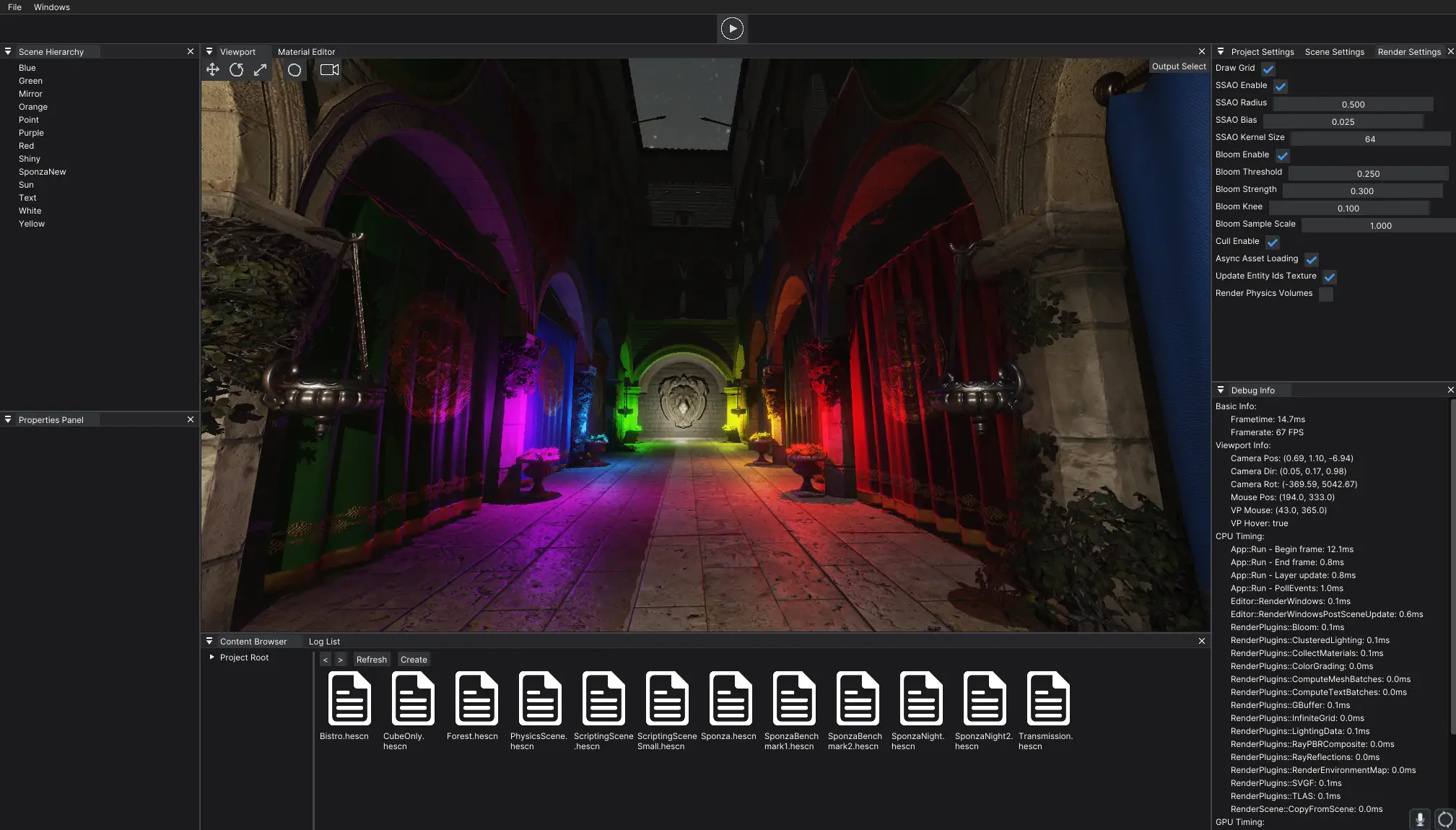
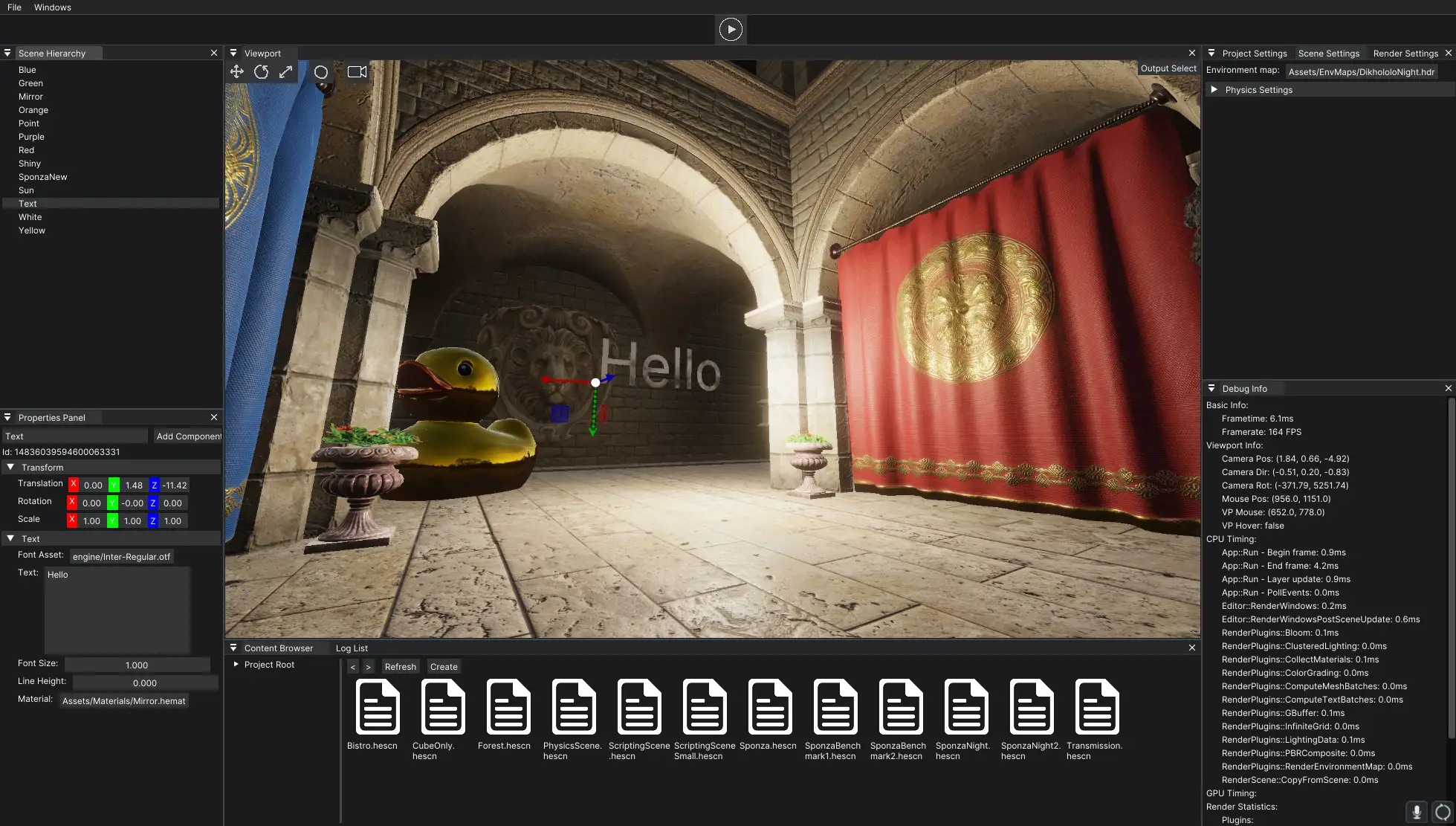
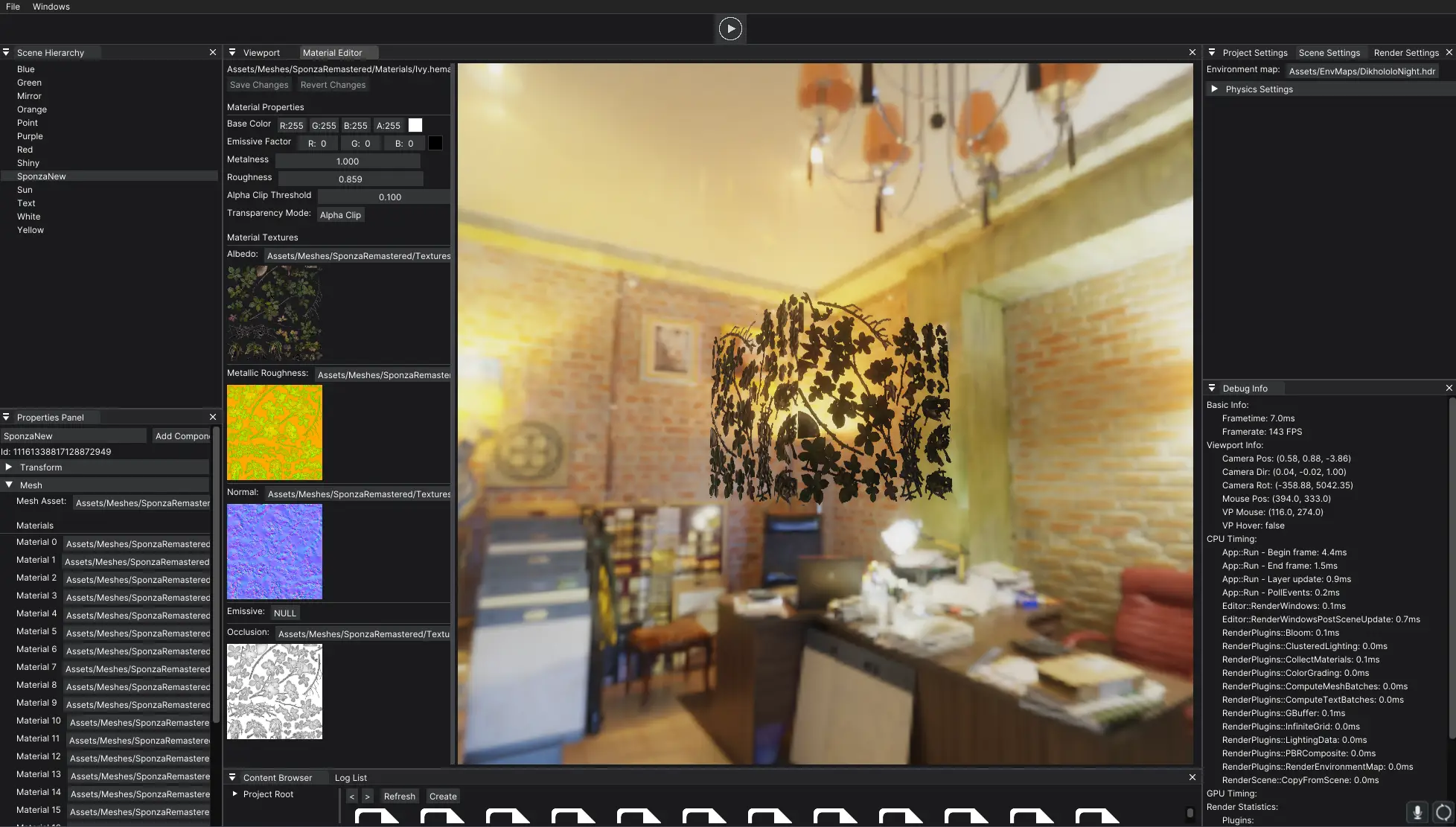
Heart is a modern, flexible 3D game engine built on a plugin-based rendering architecture.
- Platforms (64 bit):
Windows,MacOS,Android- Coming soon:
Linux
- Coming soon:
Tested on Windows 10, Windows 11, MacOS arm64, Android arm64, Quest 2
- Deferred & Forward Rendering: PBR (physically-based rendering) with metallic-roughness workflow
- Clustered Lighting: Efficient light culling
- Hardware Ray Tracing: Optional GPU-accelerated reflections with SVGF (Spatiotemporal Variance Guided Filtering) denoising
- 3D Gaussian Splatting: Native support for real-time rendering of 3D Gaussian splats (up to 10M primitives)
- Post-Processing: Bloom, SSAO, color grading, tonemapping, and order-independent transparency
- Plugin-Based Rendering: Modular render graph system allowing custom render passes
- Task System: CPU task scheduling for parallel processing
- Entity-Component System: Powered by EnTT for efficient scene management
- C# Scripting: Full game scripting support with hot-reload functionality
- Cross-Platform: Vulkan graphics backend, powered by the Flourish graphics library
- Asynchronous asset loading with lazy unloading
- Support for standard formats: PNG, JPG, TIFF, glTF
- Texture compression (BC1-BC7) and automatic mipmap generation
- Material editor with real-time preview
- Compiler using C++17
- CMake >= 3.23
- .NET Core SDK 8.0^
Ensure the requirements for Flourish are also met.
- Clone the repo using the
--recursiveflag to ensure all submodules are downloaded - Make sure the VulkanSDK is accessable via the
${VULKAN_SDK}environment variable - Create a
builddirectory in the project root
$ cd build
$ cmake .. -DCMAKE_BUILD_TYPE=Release -DHEART_BUILD_EDITOR=1
$ cmake --build . --config Release
The editor binary and associated files should build to build/bin/Release.
You may also use the scripts in the scripts dir to assist with compilation. The package-editor.py script is very useful for creating a distributable editor build in the build/Packaged dir.
To get started, use the in-engine interface to create a new project. Projects will link a NuGet package called "Heart.NET.Sdk," which contains the standard library used to interface from C# to the engine.
Entities can be given a ScriptComponent, which can be set to any class that inherits from the Heart.Scene.ScriptEntity class. All new projects come with an example entity that demonstrates this.
Public fields in the class will be exposed to the editor where the values can be modified by hand. Only certain types are supported for this process (documentation coming soon).
After making a change in your scripts, you can either build the project directly and navigate to File -> Reload Client Scripts or use the shortcut Ctrl+B to build and reload your scripts directly in the editor.
To easily develop the Heart.NET.Sdk scripts, you can link to the source files directly rather than the compiled nuget package.
- Replace the
Heart.NET.Sdkpackage reference in your development project with the following:
<ItemGroup>
  <ProjectReference Include="path/to/HeartScripting/CoreScripts/CoreScripts.csproj" />
  <ProjectReference Include="path/to/HeartScripting/BridgeScripts/BridgeScripts.csproj" />
  <ProjectReference Include="path/to/HeartScripting/SourceGenerators/SourceGenerators.csproj" OutputItemType="Analyzer" ReferenceOutputAssembly="false" />
</ItemGroup>
This will allow changes to the core scripts to be propagated live. Bridge scripts changes will require a editor restart.
- Ensure the NuGet CLI is installed
- Run the
CreateNugetPackagescript using either powershell or bash to compile the final package
There are some other helpful scripts in that directory that automate some of this process.
Documenation is built using Doxygen. To build, run the following commands:
$ cd build
$ cmake .. -DHEART_BUILD_DOCS=1
$ cmake --build .
The docs should then be available in build/docs/html. Open up the index.html file in a browser to start browsing.
WARNING: It has not been updated in quite a while. It is also not particularly useful currently unless you plan on modifying the engine or using its classes directly.
Copyright (C) 2025 Evan Thompson
This program is free software: you can redistribute it and/or modify it under the terms of the GNU General Public License as published by the Free Software Foundation, either version 3 of the License, or (at your option) any later version.
This program is distributed in the hope that it will be useful, but WITHOUT ANY WARRANTY; without even the implied warranty of MERCHANTABILITY or FITNESS FOR A PARTICULAR PURPOSE. See the GNU General Public License for more details.
You should have received a copy of the GNU General Public License along with this program. If not, see https://www.gnu.org/licenses/.