An aesthetically-pleasing tool for ethically linking to books.
I saw this interesting viewpoint from Richard Stallman's website:
"If you want to use a URL to identify a book, please don't use an Amazon page! Doing so promotes Amazon."
Personally, I agree with this viewpoint. Who wants to promote big tech and billionaires when sharing links to books? However, most people wouldn't take the time to find another way.
A simple, aesthetically-pleasing way to share books that promotes ethical and small booksellers over billion-dollar megacorps. This is a Next.JS based website for doing just that.
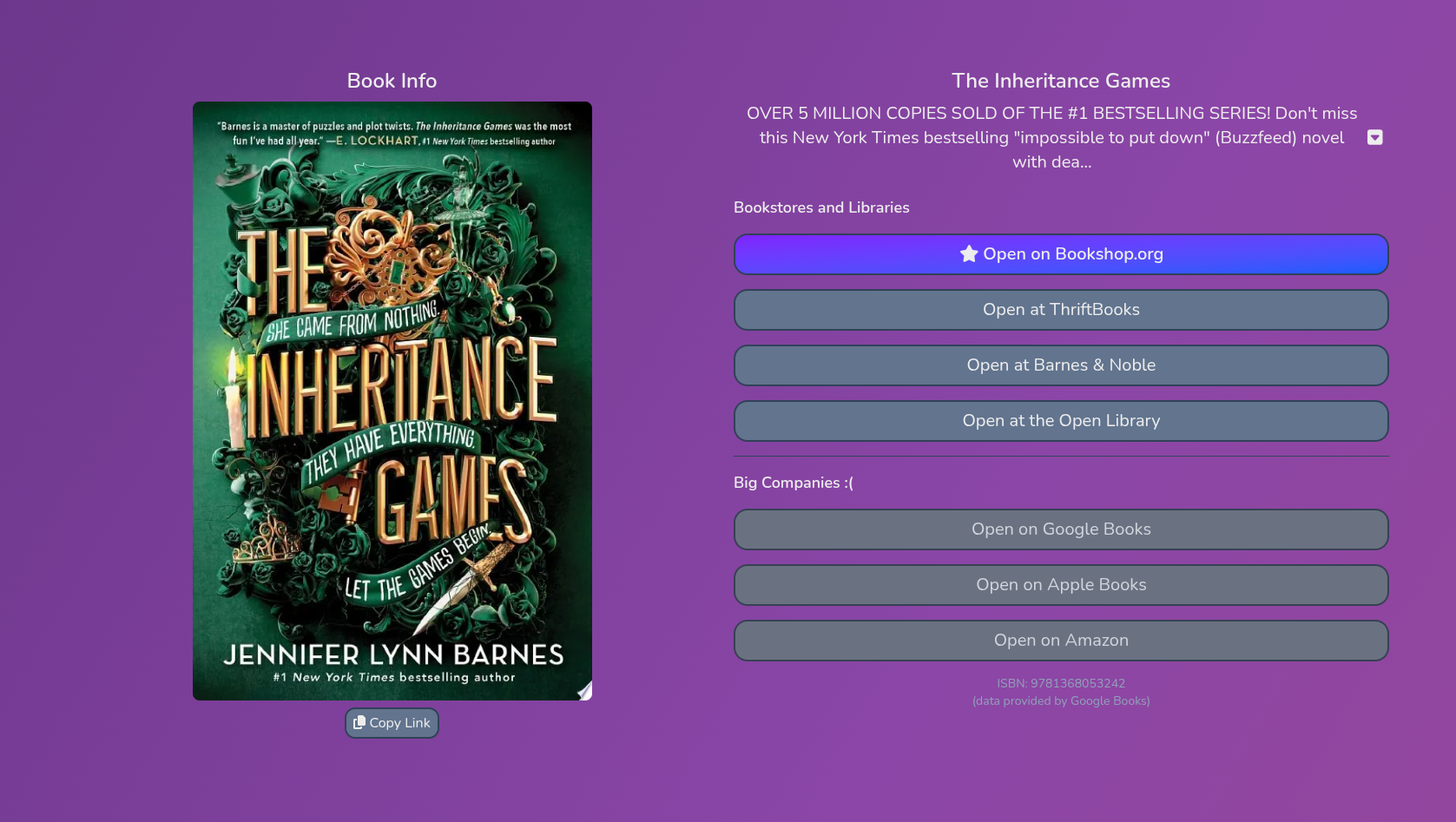
This app is quite easy-to-use! Just go to booklnk.me and type in the name of a book. It will create a page with all of the book's information, as well as links to buy it. The shortlink it gives you can be easily shared to others, allowing for a convienent, aesthetic, and ethical way to share books!
You'll need a PostgreSQL database to run this app.
- Environment Variables
In your installation method, add the following environment variables:
NEXT_PUBLIC_DMCA_EMAIL: An email address for people to send DMCA complaints, as required by Google Books to use their API.GOOGLE_BOOKS_KEY: An API key for Google Books (not an OAuth token). You can get one from Google Cloud at this Google Cloud link (you may need to create a project in the Google Cloud interface).GOOGLE_BOOKS_LANG: The language of books in searches, as a two-letter ISO-639-1 code (such as"en"or"fr"). Defaults to English ("en") if not included.NYT_KEY: An API key for the New York Times (not the secret). This needs access to the Books API and can be created at https://developer.nytimes.com.DATABASE_URL: A PostgreSQL connection string in the format ofpostgres://<user>:<password>@<host>:<port>/<database>. (more info to come soon)OPENGRAPH_ROOT: The root of your domain, which is used for metadata, in the format ofhttps://<domain>.<tld>(no trailing slash). You can also add a subdomain if applicable.
- You can install with Docker, or using another method. I can't provide configs for other environments, but I may be able to help you if you hit a roadblock (just DM @aelithron on Discord). I provided a Docker Compose file below, and the Docker image can be found on the Packages tab or simply pulled as
ghcr.io/aelithron/booklink:latest. Make sure to fill in the empty quotation marks as explained in step 1!
services:
  booklink:
    image: ghcr.io/aelithron/booklink:latest
    container_name: booklink
    restart: always
    environment:
      NEXT_PUBLIC_DMCA_EMAIL: ""
      GOOGLE_BOOKS_KEY: ""
      GOOGLE_BOOKS_LANG: ""
      NYT_KEY: ""
      DATABASE_URL: ""
      OPENGRAPH_ROOT: ""
    ports:
- 3000:3000- There have been some issues with database migration! If you happen to get one in your console, or if the app errors with missing tables, do the following:
- Clone the source code (this GitHub repo) to your computer
- Create a file called
.envcontainingDATABASE_URL="postgres://<user>:<password>@<host>:<port>/<database>", filling in the blanks. - Open a terminal and run the commands
npm installandnpx drizzle-kit push. You should be good now, and this should be a one time thing.
- Hit any roadblocks in setting up or using this app? Feel free to DM @aelithron on Discord, and I may be able to help :3
- I hope to move to the Open Library API in the future (currently it is used in a part of the backend for getting Open Library IDs), as it's slightly hypocritical to take such an anti-big-company stance and then use a Google API. However, that API is the definition of spaghetti code and I didn't want to spend ten years debugging.
- The current links provided for books, as ordered in the UI, are:
- Bookshop.org (preferred)
- ThriftBooks
- Barnes & Noble
- The Open Library
- Google Books
- Apple Books
- Amazon