deepsense.ai Project Template
Useful template to bootstrap new professional data science and python projects.
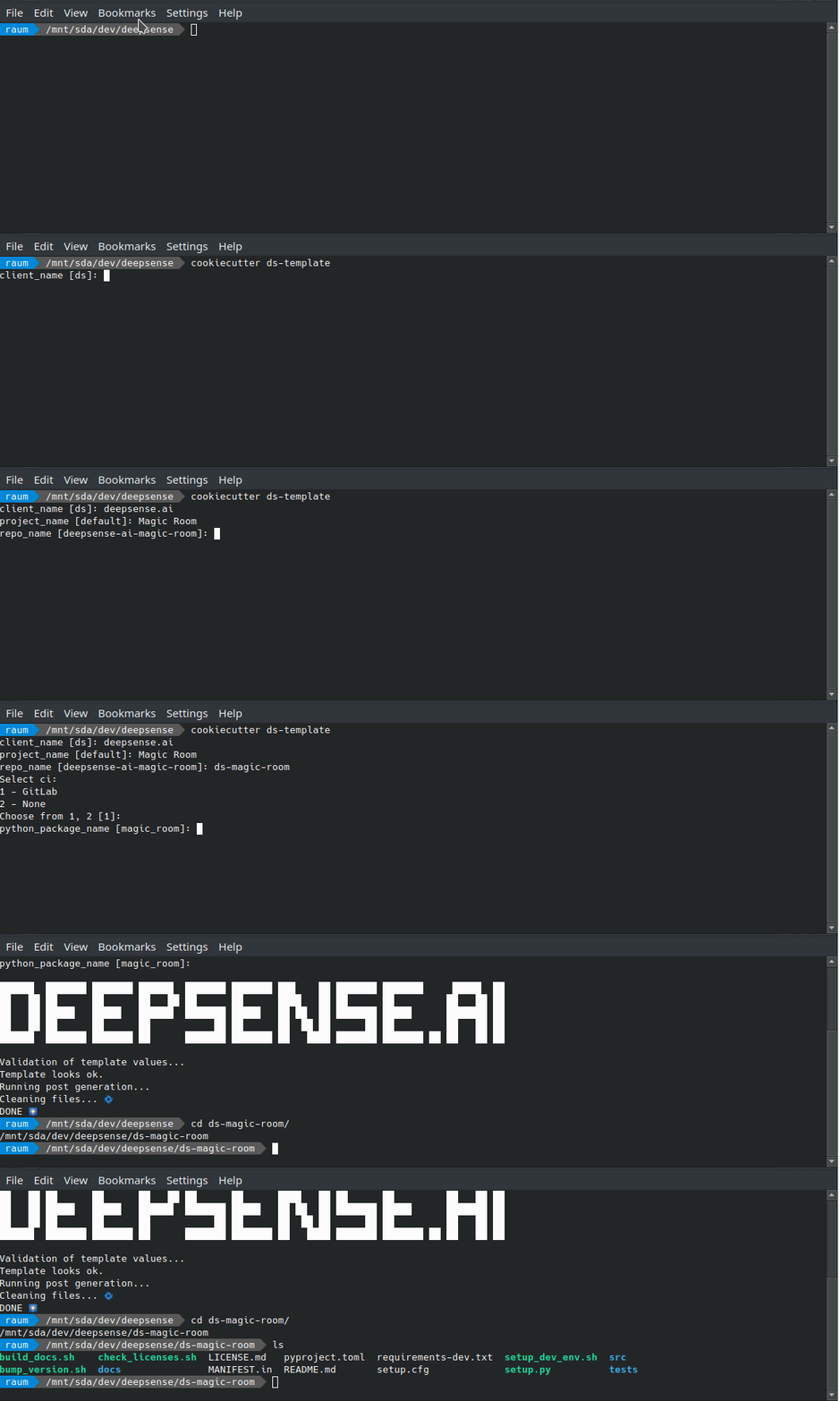
Its intended use is to generate basic, most common configuration - however each team and developer is encouraged to modify it for its special needs.
It is a result of our experiences with building data science projects and is a part of our internal best practices, however it is not a silver bullet and should be treated as a starting point for your project. Especially some settings might be less/more restrictive than you needs but we believe it is better to start with a good baseline and modify it later than to start from scratch.
Generated project consists of:
- Basic python package structure:
pyproject.toml- central configuration for build system, package metadata, dependencies, and tool configurations (including linters and formatters)- a very minimal python code + example test
- pre-commit hooks:
ruff- fast linter and formatter that replaces the functionality of:black- code formattingflake8- style and lintingpycln- unused imports cleanupisort- import sortingpylint- static code analysispyupgrade- code modernization for given python versionbandit- security issue detection - required for SOC 2 Certification
mypy- static type checkingjupytext- (optional) syncs jupyter notebooks to plain python files
- Sphinx documentation:
- basic preconfigured documentation template
- recommended extensions
- page with list of autogenerated third party python packages list with licenses
- Basic script to create venv
- Minimal README.md file
- Preconfigured semantic versioning with bump2version
- Dockerfile for pre-commit image
- Gitlab integration (default, optional):
- linter stage (
pre-commit run --all) - tests (
pytest) + code coverage - license checks of installed packages
- building and hosting documentation on GitLab Pages
- building package and uploading to private GitLab Package registry
- security:
trivy- required for SOC 2 Certification - steps to rebuild linter docker image
- linter stage (
- GitHub integration (optional):
- linter stage (
pre-commit run --all) - tests (
pytest) + code coverage - license checks of installed packages
- building and hosting documentation on GitHub Pages (if enabled)
- testing if package can be build
- security:
trivy- required for SOC 2 Certification, but is reporting only
- linter stage (
- Other less important files (more configurations,
.gitignoreetc.)
Most up-to date descriptions, tips and explanations are in the documentation.
Install cookiecutter (at least >=2.1.1 version) first and then point it to this repository.
$ pip install cookiecutter>=2.1.1Cookiecutter will ask you set of questions so it can generate customized project.
    $ cookiecutter ds-template/
    client_name [ds]: Client Name
    project_name [default]: Sunglass
    repo_name [client-name-sunglass]:
...Firstly, you need to create a new project. The name should be of the following convention:
<client_name>-<project_name>
Execute the following steps then:
Approach 1 (clone empty):
# clone empty repository to repo_name
$ git clone <GIT-SSH>
# install cookiecutter if not yet installed
$ pip install cookiecutter
# generate cookiecutter with --force and ensure the repo_name is set to the same name as directory you cloned git repository to.
$ cookiecutter -f [email protected]:deepsense-ai/ds-template.git
# finally, add all files, commit and push.
$ git add .
$ git commit -m "Initialize repository with default project template"
$ git push origin
Approach 2 (initialize git locally and push to remote):
# install cookiecutter if not yet installed
$ pip install cookiecutter
# generate project
$ cookiecutter [email protected]:deepsense-ai/ds-template.git
# enter created directory
$ cd <project-name>
# now we need to connect it to repository (assuming empty repository)
$ git init
$ git remote add origin <GIT-SSH>
$ git fetch
$ git checkout -t origin/main
# finally, add all files, commit and push.
$ git add .
$ git commit -m "Initialize repository with default project template"
$ git push --set-upstream origin main
$ git push origin