A GTK-based command palette application with generative AI capabilities for quick text transformations. Named after Seshat, the ancient Egyptian goddess of writing, wisdom, and knowledge who was the divine measurer and recorder of time.
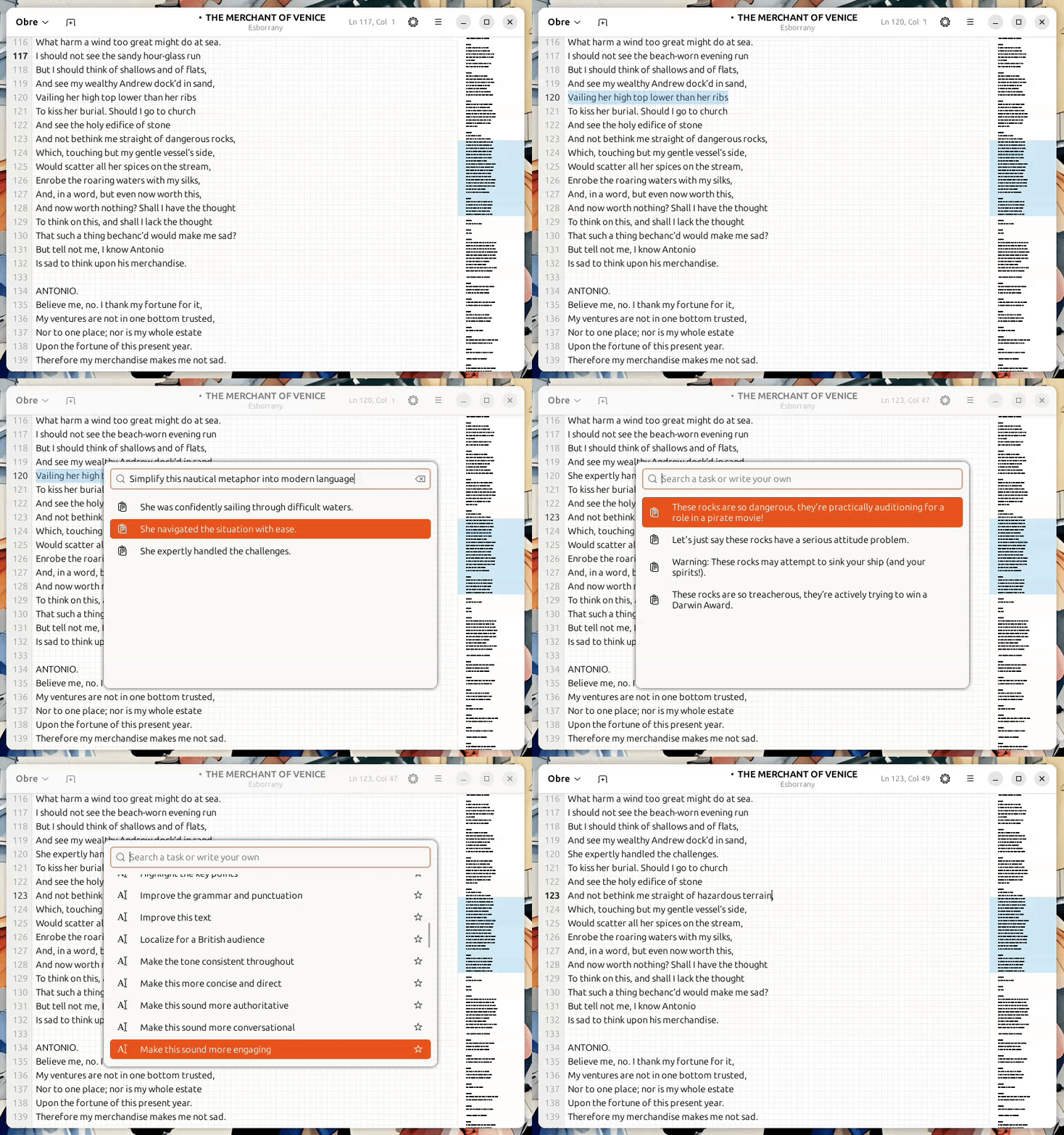
Seshat is a command palette application that provides a quick way to transform selected text using various operations. It integrates with Ollama to provide custom AI-powered text transformations.
Key features:
- Mathematical operations (quick calculator).
- Text transformations (case conversion, sorting, formatting).
- AI-powered text generation and transformation via Ollama.
- Customizable through configuration.
Seshat operates by:
- Capturing text selected by the user on the running app (using X11 clipboard).
- Providing a command palette interface to choose transformations.
- Applying the selected operation to the text.
- Returning the transformed text to the clipboard and automatically sending a "Shift+Insert" keybinding to paste it back into the application
Note: Seshat currently works only on X11-based Linux environments due to its dependency on xdotool and X11 clipboard mechanisms. Wayland support is not available at this time.
- GTK 4.0
- Python 3.10 or higher
- Poetry package manager
- xdotool (for clipboard operations)
- Ollama (for AI features)
# Clone the repository
git clone https://github.com/joansala/seshat.git
cd seshat

# Install dependencies
poetry installYou can run Seshat directly with:
poetry run seshatShow the command palette immediately:
poetry run seshat --show-palette
Add this to your OS keybindings to activate Seshat with a keyboard shortcut:
/usr/bin/env poetry -C /path/to/seshat/directory run seshat --show-paletteCreate or edit the configuration file in your home directory:
nano ~/.config/seshat/config.json{
"window_width": 500,
"window_height": 360,
"paste_delay": 0.3,
"paste_keybinding": "shift+Insert",
"hotkey_poll_interval": 0.05,
"hotkey_modifiers": ["KEY_LEFTMETA", "KEY_RIGHTMETA"],
"hotkey_trigger": "KEY_SPACE",
"max_user_commands": 100,
"chat_base_url": "http://localhost:11434",
"chat_default_model": "gemma3:4b",
"chat_user_context": { // Any information you want the LLM to know
"User name": "John",
"Full user name": "John Doe",
"User location": "England"
}
}# Install development dependencies
poetry install --with devseshat/actions/: Action providers for text, math, and AI operationsseshat/application/: GTK application and UI componentsseshat/resources/: UI definitions, configuration, and themesseshat/tasks/: Task execution frameworkseshat/utils/: Utility functions for clipboard, config, and hotkeys
This project is licensed under the GNU General Public License v3.0 - see the LICENSE file for details.
Contributions are welcome! Please feel free to submit a Pull Request.