Remember to set CFG-Lock value to 0x00 before using this EFI. Also generate MLB, Serial, UUID yourself!
READ THIS README.MD FIRST BEFORE DOWNLOAD THE EFI. You can clone the repository right now instead of heading to the Release page (because that won't be updated anymore XDDDDDDDDDDDDD)
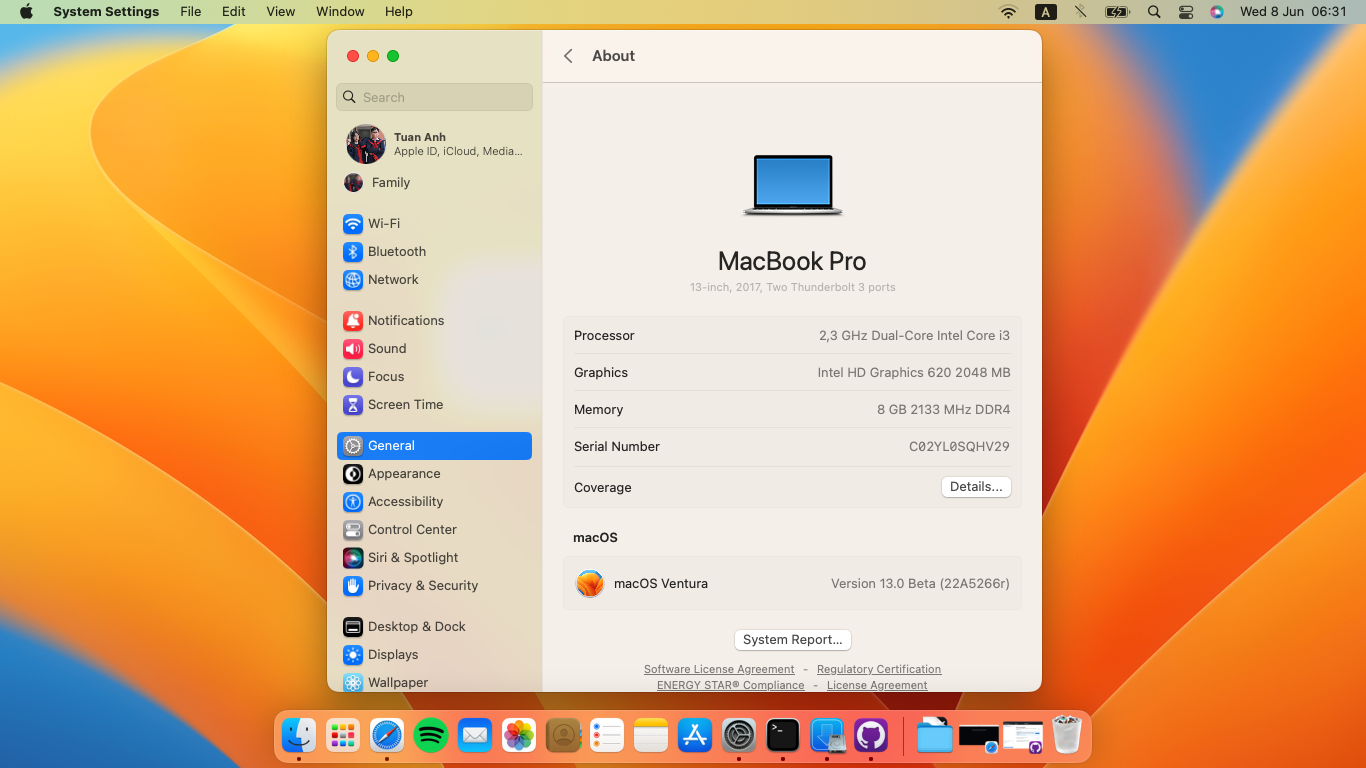
Just copy the EFI folder and paste it in your EFI partition.
About the specs:
| Specs | Info |
|---|---|
| RAM | 2x DDR4 2400MHz 4GB |
| CPU | Intel Core i3-7020u (2 cores 4 threads) 2.3 GHz |
| Audio | Realtek ALC256 Audio Controller |
| Ethernet | Realtek RTL8111 |
| Wi-Fi Card | Intel Dual Band AC-3165 |
| GPU | Intel(R) HD Graphics 620 |
| SMBIOS | MacBookPro14,1 |
| Feature | Status | Notes |
|---|---|---|
| Intel iGPU | ✅ Working | Worked fine |
| Trackpad I2C | ✅ Working | Full gesture support. |
| iMessages and App Store | ✅ Working | Just follow the OpenCore Guide (#ℹ️-changing-serial-number,-board-serial-number-and-smuuid) |
| Speakers and Headphones | ✅ Working | To permanently fix headphones follow this link below |
| Built-in Microphone | ✅ Working | |
| Webcam | ✅ Working | Works fine on latest Ventura Beta 7 |
| Wi-Fi/BT | ✅ Working | Using itlwm since Airportitlwm doesn't support Ventura. Remember to download HeliPort before using this EFI. |
| Fingerprint reader | ❌ Not working | Probably will never work, because proprietary Synaptics drivers that only exist for Windows are needed. Disabled to save power. |
| SDCard slot | ❌ Not working | The USB2.0 SDCard Reader from Realtek will never work on Mac because drivers is only for Windows. Disabled to save power. |
| Ethernet | ✅ Working perfectly |
After having created the installer USB flash drive, you are ready to install macOS on your Vostro. Make sure SSD mode is set to AHCI mode instead of RAID in BIOS otherwise, macOS won't be able to detect your SSD. Select your USB flash drive as boot media and go through the macOS installer like you would on a real mac. Once you have come to the desktop, advance to the next step.
Congratulations! You have successfully booted and installed macOS. At this point, you just have to copy the EFI folder you have prepared in a previous step to the SSD. Mount the EFI partition of your SSD with
sudo diskutil mount disk0s1
and copy your customized EFI folder into the newly mounted EFI partition. You should now be able to boot your computer without the USB flash drive attached. If you're having issues with specific parts like Wi-Fi, Bluetooth, or Audio, have a look at the corresponding sections in this repository and open an issue if you are unable to solve them.
This section talks about configuring the EFI folder for your exact hardware.
Almost all changes are done inside the OpenCore configuration file. I strongly recommend using either ProperTree or Xcode to edit EFI/OC/config.plist.
Without any modifications, the headphone jack is buggy. External microphones aren't detected and the audio output may randomly stop working or start making weird noises. Sometimes un- and replugging the headphones works, but that's pretty annoying and unreliable. To permanently fix this issue you will have to install this fork of ComboJack.
Cause I've added this kext in EFI folder so you don't need to add it anymore.
- Guide :
- Run ComboJack_Installer/install.sh in terminal and reboot
- Done. When you attach a headphone there will be a popup asking about headphone type.
Hibernation is not supported on a Hackintosh and everything related to it should be completely disabled. Disabling additional features prevents random wakeups while the lid is closed. After every update, these settings should be reapplied manually.
sudo pmset -a hibernatemode 0
sudo rm -f /var/vm/sleepimage
sudo mkdir /var/vm/sleepimage
sudo pmset -a standby 0
sudo pmset -a autopoweroff 0
sudo pmset -a powernap 0
sudo pmset -a proximitywake 0
sudo pmset -b tcpkeepalive 0 (optional)
For the best power management it's recommended to disable CFG lock and let macOS do the power management. Follow this guide to do so. For more information about CFG lock, have a look here.
RestrictEvent is a kext that help bypass MacOS limitations, in our case it prevents the device from random freezing.
The Samsung PM981 (or more precise the controller it uses) is known to cause random kernel panics in macOS. Up until now, there was no way to even install macOS on the PM981 and the only option was to replace it with either a SATA3 SSD.