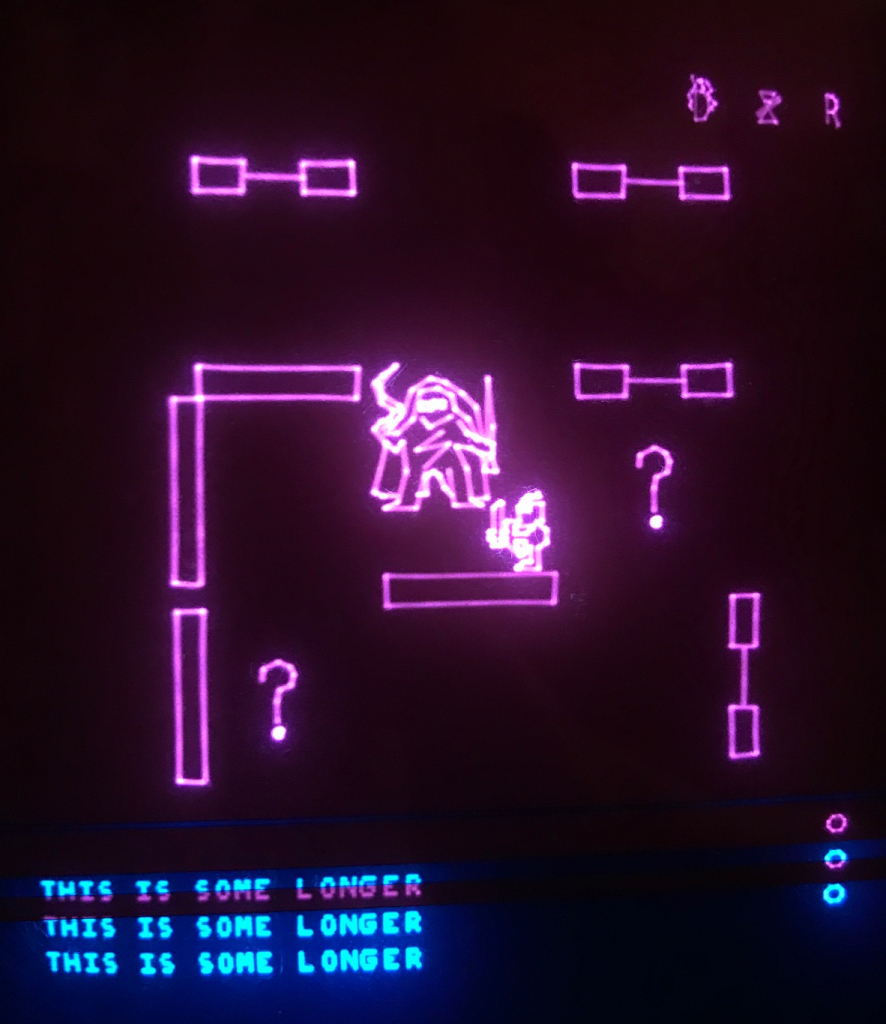
Changerequests / bug reports pls to Vide AT malban DOT de. Or create issues on github.
Original game by DANIEL MICHAEL LAWRENCE (1982) Sadly Dan passed away some years ago, but his Telengard Webpage is still available: https://www.aquest.com/telen.htm
Vectrex port by Malban (2022). For more information about the Vectrex port look at my blog entries with the tag "Telengard": http://vide.malban.de/tag/telengard Video at: https://youtu.be/bQrrjSsiXcM
Title music by Roald Strauss (INDIEGAMEMUSIC.COM), thanks!
The game is available in two (three) versions:
64kB Version Which is playable from any "normal" PB6 bankswitch vectrex cart. It features the full binary, but a game will not be persistently saved.
FLASH Version Which is playable from a "Vectorblade" compatible PCB (either 128kB or 256kB). It features the full binary AND the game can save persistently to the cartridge.
Due to the nature of the vectrex (being a game console and not a computer, and a vector based game console additionally) some things had to be changed with this port.
I will in this document NOT describe the game itself, but only the vectrex specifics. For information about the game itself, please consult the original manual, found at many places in the web, one being: https://www.orphanedgames.com/articles/Telengod/downloads/telengard-manual.pdf
Telengard was one of the first "real time games". If the player does not control the character, about every 5 seconds the game advances automatically. All such "pauses" can be broken with player input (buttons/joystick) and the game advances to the next round. The default (if the screen does not tell otherwise) any unkown action causes a "STAY" command.
For being able to play Telengard SUCCESSFULLY I deem it essential for the game to offer a SAVE functionality. Due to hardware limitations of the "normal" 64kB bankswitch card there is no easy way to offer persistent saves (without inventing new PCB designs). It is not possible to do bankswitching AND access a DS2431 at the same time with current designs (at least not for many cycles wink at Thomas).
Nonetheless, even the 64kB variant offers the player to save the character in the INN. But these saves are not PERSISTENT when you switch your vectrex off. These saves can only be used, while the console is switched on. You can thus also progress in the game without being a complete pawn to the often unfair random whims of the game.
Joystick
- movement of the player.
- and color selection with the "box" feature.
Buttons please read the screen instructions.
- <4> denotes button 4
- <3> denotes button 3
- <2> denotes button 2
- <1> denotes button 1
Additionally to the displayed buttons, most of the time
- <2> enters the STATUS screen (see there)
- <3> enters the CAST screen (see there)
If there is a stair case:
- <1> goes UP
- <4> goes DOWN
If there is only one button choice displayed - all other buttons "break" the question.
The game can only be saved in an Inn (might be subject to change)
The vectrex is not very good at displaying text. The original game had all status information on the main screen. With the vectrex that was not possible.
<2> Enters the status screen The screen itself consists of 5 pages (navigate with joystick)
Page 1: STATS
You character status values are displayed, alnog with the current dungeon level and current hitpoints.
Page 2: ENV
Curent dungeon location, current room environment, current monster (+level).
Page 3: VARS
Additional variable information about your character, as level, spell units, experience points and gold in the tavern.
Page 4: MODS
Things that influence your game success, in general your inventory, displayed are e.g. your Armor, Shield, Boots, Cloaks etc...
Page 5: ITEMS
Usable items are displayed here, as there are:
- Scroll of Rescue
- Potion of Healing
- Potion of Strength
Along side is the number of items you own displayed. If the number is greater than 0, you can use the items, navigate to the item you wish to deploy and press <4>. (any other button does NOT deploy the item)
<3> Enters the cast screen All your available magic spells are displayed on this page. Every spell level is displayed on a seperate page (navigate with the joystick). All spells are displayed, but not yet usable spells are greyed out and can not be selected.
To cast spell, select the spell you want and press button <2> or <3> or <4>. Button <1> cancels the cast.
Input to various "sub screens" is be documented on screen.
- Box (color select via joystick)
- Cube (level select via number input / joystick)
- Throne (money select via number input / joystick)
(In Vide) To generate 128k / 256k bins, switch in the project settings the checkbox "48k ROM" to true. To generate 64k bin, switch in the proejct settings the checkbox "48k ROM" to false.
Changelog: V1.02 -> V1.03
- Gee... after load from flash, the claibration value loaded is now actually USED!
V1.01 -> V1.02
- added calibration (Button 3 in title screen)
Changelog: V1.0 -> V1.01
- spell corrections
- pit with sprite movement
- prismatic wall sprite added, wait corrected
- Holy Symbol sprite added, wait corrected
- spelling corrections
- things I can't remember