

This article will go over how to get a basic implementation of the Interactive Brokers TWS API to retrieve stock and option prices.
First you need to download the offline TWS installer, since creating the account is difficult and we should use the offline installer for the sake of the demo.
Then you have to download the TWS API if you haven’t already.
Once downloaded, start a new C# console application project. I am calling it TWS_API_Demo.

-
Once pressing OK, you will be left with a blank project.
-
The next step will be adding the The next step will be adding the CSharpAPI project. Copy the client folder (~\TWS API\source\CSharpClient\client) to your solution folder and add it to the solution.
-
Add a refence to this project in your TWS_API_Demo project. Right click on References and click “Add Reference”, choose the CSharpClient project. Check it’s box and press “OK”. The solution explorer should now look like.
-
The next step will be adding the CSharpAPI.dll for TWS API functionality. This dll is located in the TWS API folder. My TWS API folder is in my C drive, it will be in where ever you choose during installation. The location of the file is C:\TWS API\source\CSharpClient\client\bin\Debug\CSharpAPI.dll. In your solution explorer
Your project should looks like this:

- Next we will need to make an implementation of the EWrapper class. The EWrapper is the mechanism through which the TWS delivers information to the API client application. There is a basic one provided in a sample located in C:\TWS API\samples\CSharp\Testbed\EWrapperImpl.cs. Put this file into your current project. Do this by right clicking TWS_tutorial in the solution explorer and “Add – Existing Item”. Find and add EWrapperImpl.cs. You will want to change the namespace in EWrapperImpl.cs from Samples to TWS_API_Demo. Now go to Program.cs and replace the code with…
Once you change the EWrapperImpl.cs file namespace to TWS_API_Demo Your project should look like this:

			using System;
			using IBApi;
			using System.Threading;

			namespace TWS_API_Demo
			{
				class Program
				{
					public static int contractId = 0;

					public static int Main(string[] args)
					{

						EWrapperImpl testImpl = new EWrapperImpl();
						EClientSocket clientSocket = testImpl.ClientSocket;
						EReaderSignal readerSignal = testImpl.Signal;
						//! [connect]
						clientSocket.eConnect("127.0.0.1", 7497, 0);
						//! [connect]
						//! [ereader]
						//Create a reader to consume messages from the TWS. The EReader will consume the incoming messages and put them in a queue
						var reader = new EReader(clientSocket, readerSignal);
						reader.Start();
						//Once the messages are in the queue, an additional thread need to fetch them
						new Thread(() => { while (clientSocket.IsConnected()) { readerSignal.waitForSignal(); reader.processMsgs(); } }) { IsBackground = true }.Start();

						clientSocket.reqMarketDataType(3);
						int tickerId = 100;
						getStockPrice(clientSocket, "AAPL", tickerId);


						int tickerId_Option = 200;
						string expDate = "20190418";
						getContractDetails(clientSocket, "AAPL", tickerId_Option, expDate);


						Thread.Sleep(500);


						Console.WriteLine("Contract Id set to: " + contractId);
						int tickerId_Option_Price = 300;
						getOptionPrice(clientSocket, "AAPL", tickerId_Option_Price, contractId);


						while (contractId == 0)
						{
						}

						Console.ReadKey();
						clientSocket.cancelMktData(tickerId);
						clientSocket.cancelMktData(tickerId_Option);
						Console.WriteLine("Disconnecting...");
						clientSocket.eDisconnect();
						return 0;

					}

					private static void getStockPrice(EClientSocket client, string symbol, int tickerId)
					{
						Console.WriteLine(">> getStockPrice from tickerId: " + tickerId);
						Contract contract = new Contract {Symbol = symbol, SecType = "STK", Exchange = "SMART", Currency = "USD"};
						client.reqMktData(tickerId, contract, "", false, false, null);
						Thread.Sleep(10);
					}

					private static void getOptionPrice(EClientSocket client, string symbol, int tickerId, int conId)
					{
						Console.WriteLine(">> getOptionPrice from tickerId: " + tickerId);
						Contract contract = new Contract
						{
							Symbol = symbol,
							Strike = 230,
							Right = "CALL",
							SecType = "OPT",
							Exchange = "SMART",
							IncludeExpired = true,
							Currency = "USD",
							ConId = conId
						};
						client.reqMktData(tickerId, contract, "", false, false, null);
					}

					private static void getContractDetails(EClientSocket client, string symbol, int tickerId, string expDate)
					{
						Console.WriteLine(">> getContractDetails from tickerId: " + tickerId);
						Contract contract = new Contract
						{
							Symbol = symbol,
							SecType = "OPT",
							Exchange = "SMART",
							Currency = "USD",
							LastTradeDateOrContractMonth = expDate
						};
						//contract.Exchange = "BOX";

						client.reqContractDetails(tickerId, contract);
						Thread.Sleep(10);
					}
				}
			}
As you can see we set up a few things like the EWrapperImpl, the EClientSocket, EReaderSignal.
-
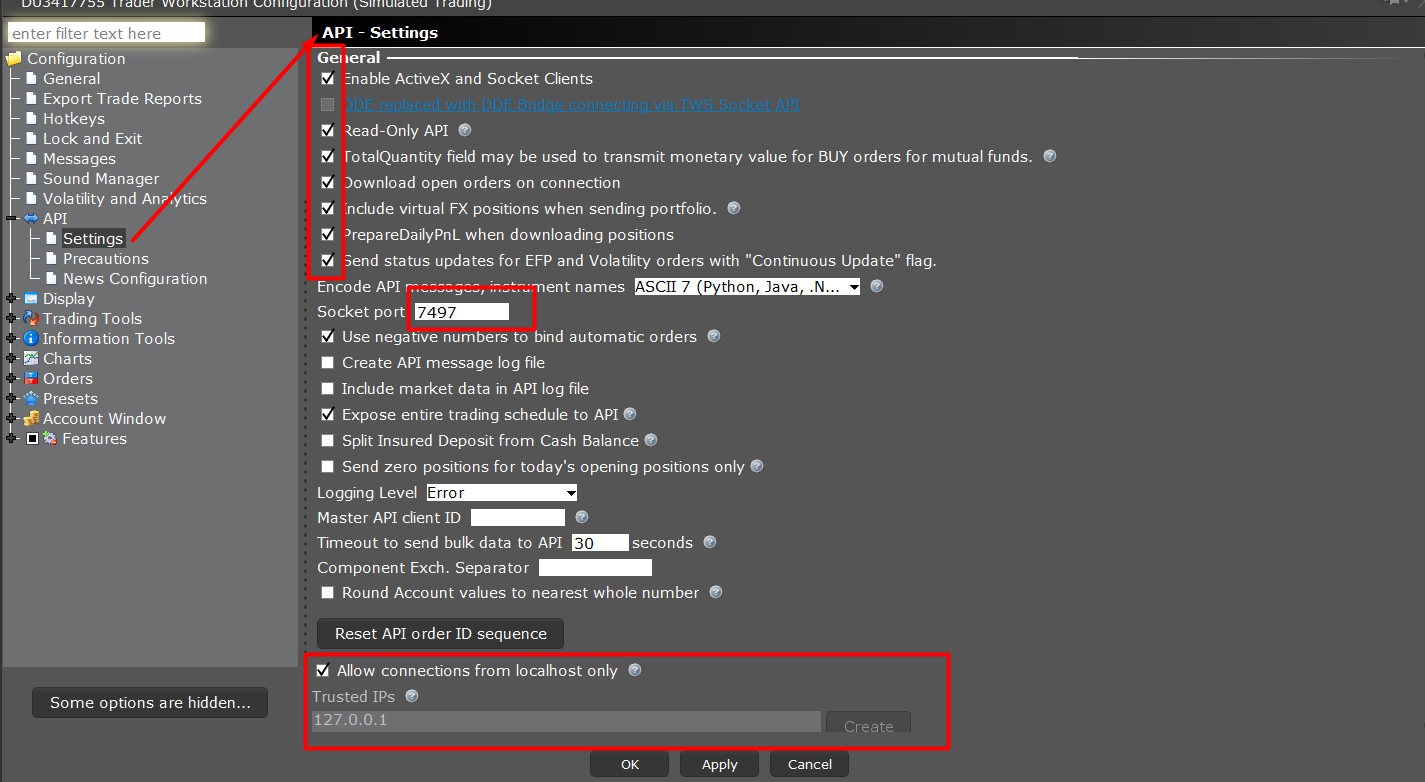
We then connect to TWS Offline with clientSocket.eConnect(“127.0.0.1″, 7497, 0); . Make sure your API settings match. So log into TWS if you haven’t already and make sure your settings in ” File – Global Configuration -API – Settings” look like this…
-
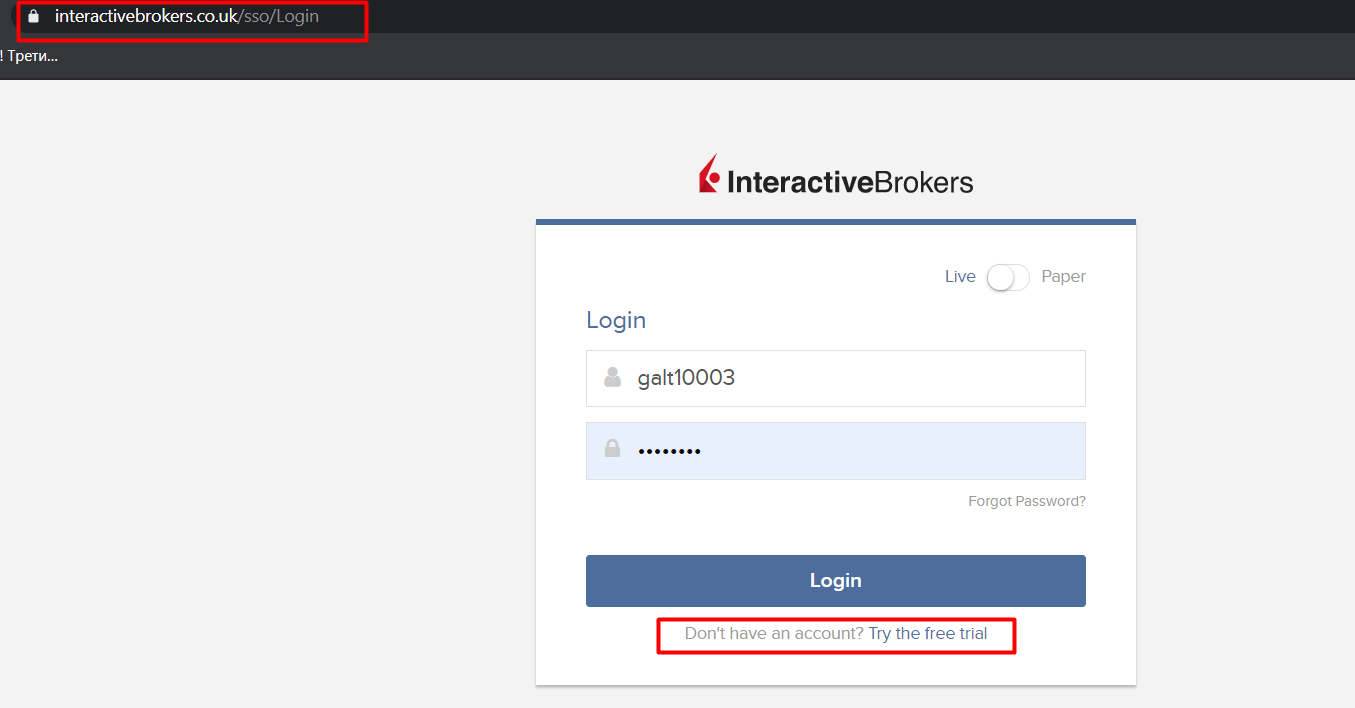
You still needs to have an account for the interactive brokers offline desctop app. Try create it or gtest login with from here https://www.interactivebrokers.co.uk/sso/Login?RL=1
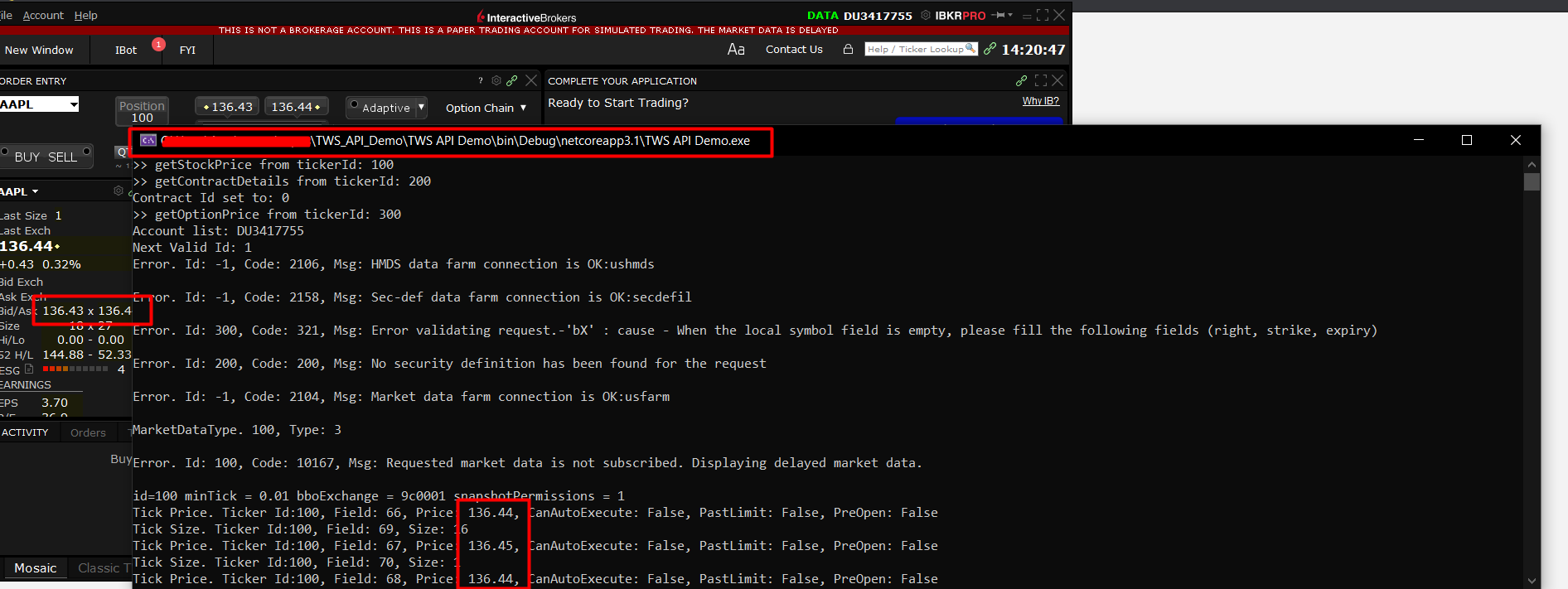
After launching the TWS offline you can see the the AAPL symbol we are trying to handle.
-
Make sure you have the right port and configuration options setted up from the TWS offline menu "File"->"Global Configuration"-> "Settings”
-
Then run the TWS_API_Demo and check the console dump

To the extent possible under law, Motion Software has waived all copyright and related or neighboring rights to this work.