This is not in any way affiliated with the real winutil
Works like -Run -Config does in the normal christitus winuitls, but doesn't run the ui. This makes it more responsive and faster.
The goal of this project is to make a full cli version of winutils, that can do all that the normal winutil can do. But for now it only acts as a silent install cli for it, since i haven't got the motivation nor time to finish it rn.
Feel free to contribute if you wish to make it more cliy.
If you decide to contribute, try to not reinvent the wheel. If you can use a function directly, try to. Don't remove things from functions that has no effect, like removing the ui hooks. Since that really doesn't make much of a difference and causes this repo to diverge.
Unless necesary also try to keep changes to main.ps1 and start.ps1, since that makes syncing this fork a lot easier.
If anyone finds interest in this ill consider getting some version of this into the real repo. But atm I think its a bit too botchy / thrown together to do that.
If anyone wants get this, or parts of this into a better state, so that it can be merged upstream, feel free to give it a try (credit would be nice).
iex "& { $(irm scripts.upidapi.dev/winutil) } -Config config.json" (this doesn't work atm since i haven't set it up, or it does and i forgot to remove this line)
Where the config comes from exporting your selections in the normal winutils.
Whilst that doesn't work yow can use this instead.
$tagName = (Invoke-WebRequest -UseBasicParsing -Uri "https://api.github.com/repos/upidapi/winutil-cli/releases" | ConvertFrom-Json)[0].tag_name

$downloadUrl = "https://github.com/upidapi/winutil-cli/releases/download/$($tagName)/winutil.ps1"

& ([scriptblock]::Create($(irm $downloadUrl))) -Config config.json -RunThe send.ps1 is a simple script to take the scripts, developed on linux on a shared drive and use them on windows.
config.json is my standard winutil config minimal.json is for debugging



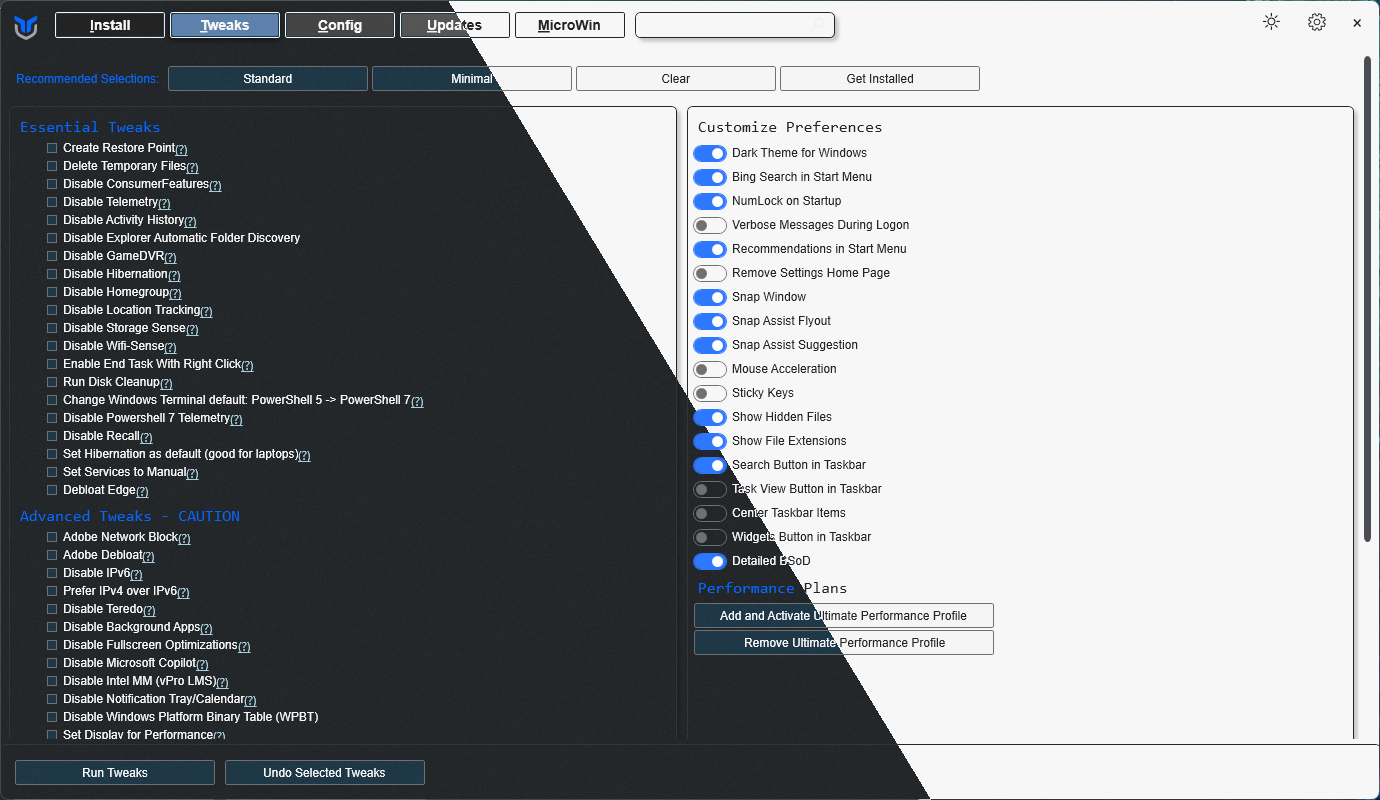
This utility is a compilation of Windows tasks I perform on each Windows system I use. It is meant to streamline installs, debloat with tweaks, troubleshoot with config, and fix Windows updates. I am extremely picky about any contributions to keep this project clean and efficient.
Winutil must be run in Admin mode because it performs system-wide tweaks. To achieve this, run PowerShell as an administrator. Here are a few ways to do it:
-
Start menu Method:
- Right-click on the start menu.
- Choose "Windows PowerShell (Admin)" (for Windows 10) or "Terminal (Admin)" (for Windows 11).
-
Search and Launch Method:
- Press the Windows key.
- Type "PowerShell" or "Terminal" (for Windows 11).
- Press
Ctrl + Shift + Enteror Right-click and choose "Run as administrator" to launch it with administrator privileges.
irm "https://christitus.com/win" | iexirm "https://christitus.com/windev" | iexIf you have Issues, refer to Known Issues
Note
To contribute to the documentation, please visit WinUtil Docs Repo for more info.
Note
Winutil is a relatively large script, so it's split into multiple files which're combined into a single .ps1 file using a custom compiler. This makes maintaining the project a lot easier.
Get a copy of the source code, this can be done using GitHub UI (Code -> Download ZIP), or by cloning (downloading) the repo using git.
If git is installed, run the following commands under a PowerShell window to clone and move into project's directory:
git clone --depth 1 "https://github.com/ChrisTitusTech/winutil.git"
cd winutil
To build the project, run the Compile Script under a PowerShell window (admin permissions IS NOT required):
.\Compile.ps1You'll see a new file named winutil.ps1, which's created by Compile.ps1 script, now you can run it as admin and a new window will popup, enjoy your own compiled version of WinUtil :)
Tip
For more info on using WinUtil and how to develop for it, please consider reading the Contribution Guidelines, if you don't know where to start, or have questions, you can ask over on our Discord Community Server and active project members will answer when they can.
- To morally and mentally support the project, make sure to leave a ⭐️!
- EXE Wrapper for $10 @ https://www.cttstore.com/windows-toolbox
These are the sponsors that help keep this project alive with monthly contributions.


Thanks a lot for spending your time helping Winutil grow. Thanks a lot! Keep rocking 🍻.